
Added
Activity & Comments on Monitors
8 months ago
You can now add notes and comments directly on monitors using the Activity section, keeping important context, discussions, and decisions in one place.
What’s new:
- You can now leave notes on monitors to add context at the point of editing / enabling a monitor
- A new Activity tab on the monitor details page that shows change log and comments
- Ability to @mention teammates in monitor comments to loop them in. Mentioned users receive an email with a link back to the monitor
- Comments are accessible also from the Monitors list view, via the selected columns
Why this matters:
Monitors often evolve over time and involve multiple people. This update makes it easier to review drafts, explain changes, ask questions, and hand off ownership - all without leaving Monte Carlo.
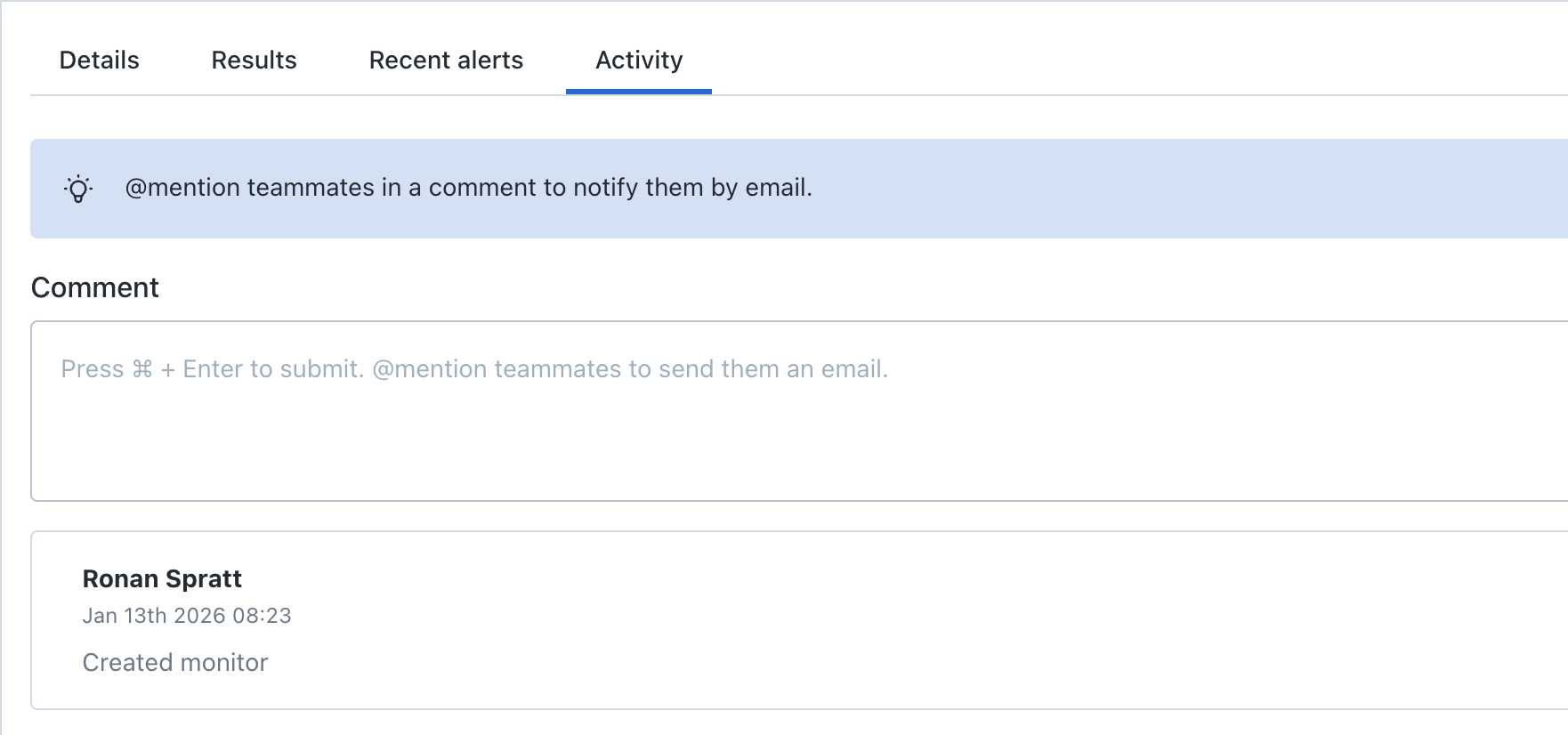
Activity Tab in Monitor Details
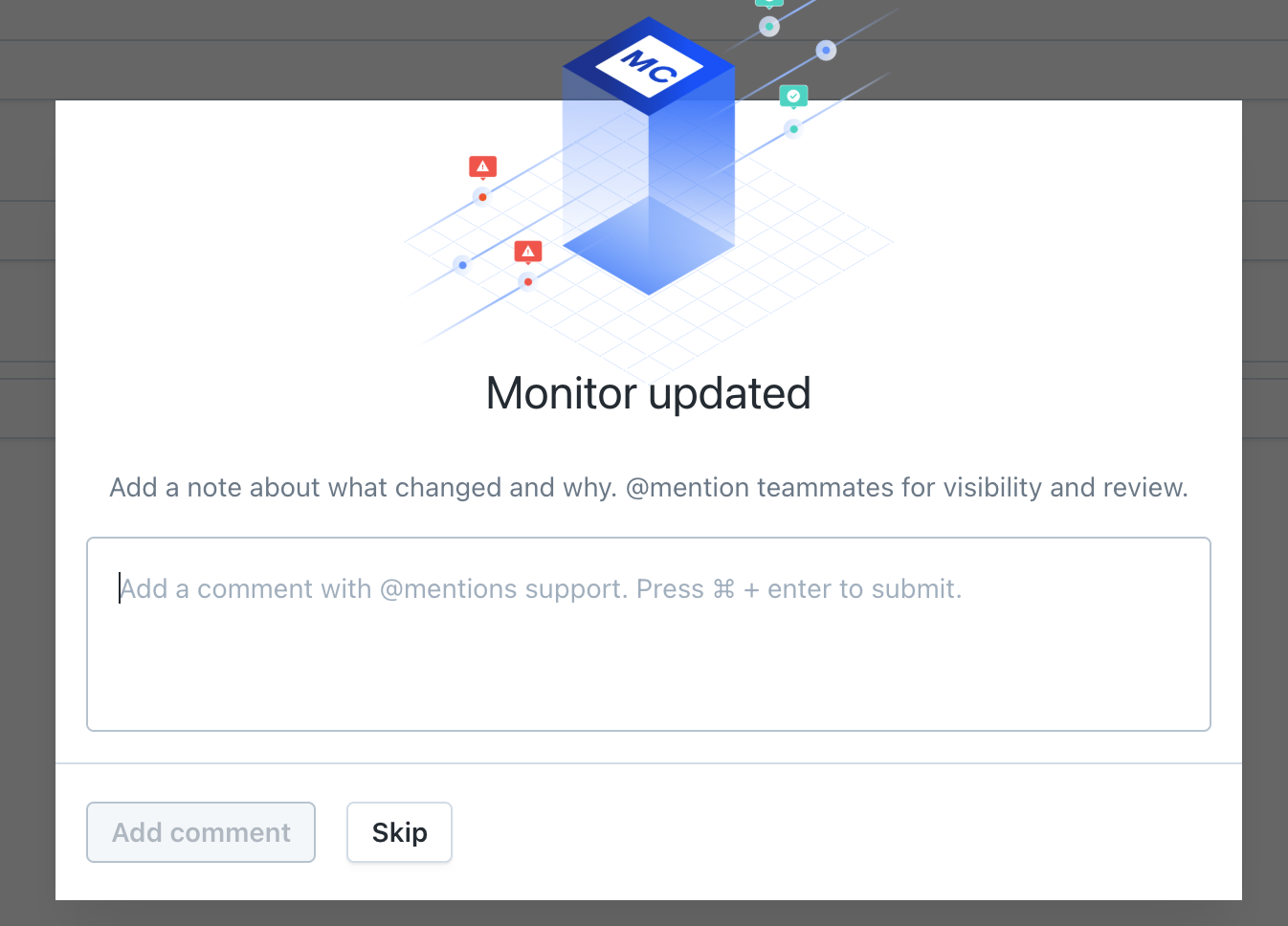
Add a note post updating your monitor