Added
Automatic conversation clustering for AI agents
4 months ago
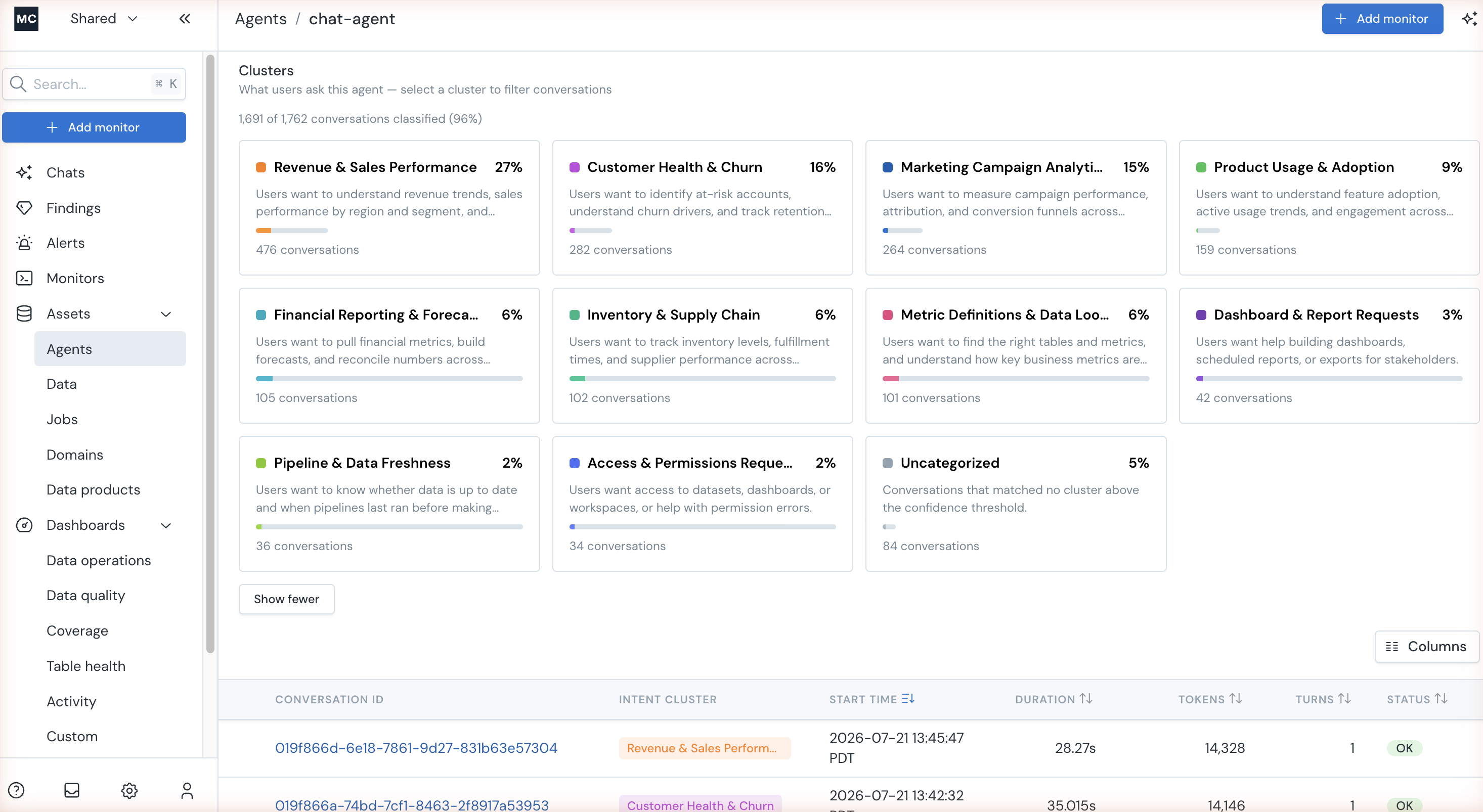
Until now, seeing what users asked your AI agents meant reading conversations one at a time. With Conversation Clusters, you can see what users are actually asking, at scale.
The Conversations tab for a connected agent includes a Clusters panel that automatically groups that agent's conversations into named topics — no instrumentation or manual tagging required.
- Each cluster shows a description, its share of total traffic, and a conversation count.
- Click a cluster to filter the conversation list to just that topic, and new conversations are classified continuously as they arrive.
Find it under Assets > Agents — select an agent and open the Conversations tab.