
Define a domain in a few clicks: bulk-select assets, add a whole integration, filter scope by tag
Domain creation and editing got a rework aimed at large domains and scale. You can now add hundreds of assets at once, add an entire integration to a domain, and use tags to filter a selection.
Bulk-select in the Available assets pane
- Asset type filter — narrow results to databases, schemas, tables, jobs, agents, or tags
- Checkboxes and select-all — tick individual results, or take every match at once
- Selection controls — a running selected count, clear selection, and one action to add the whole set
Filter to Jobs, search once, tick the header checkbox, add — a few hundred jobs land in the domain in one go.
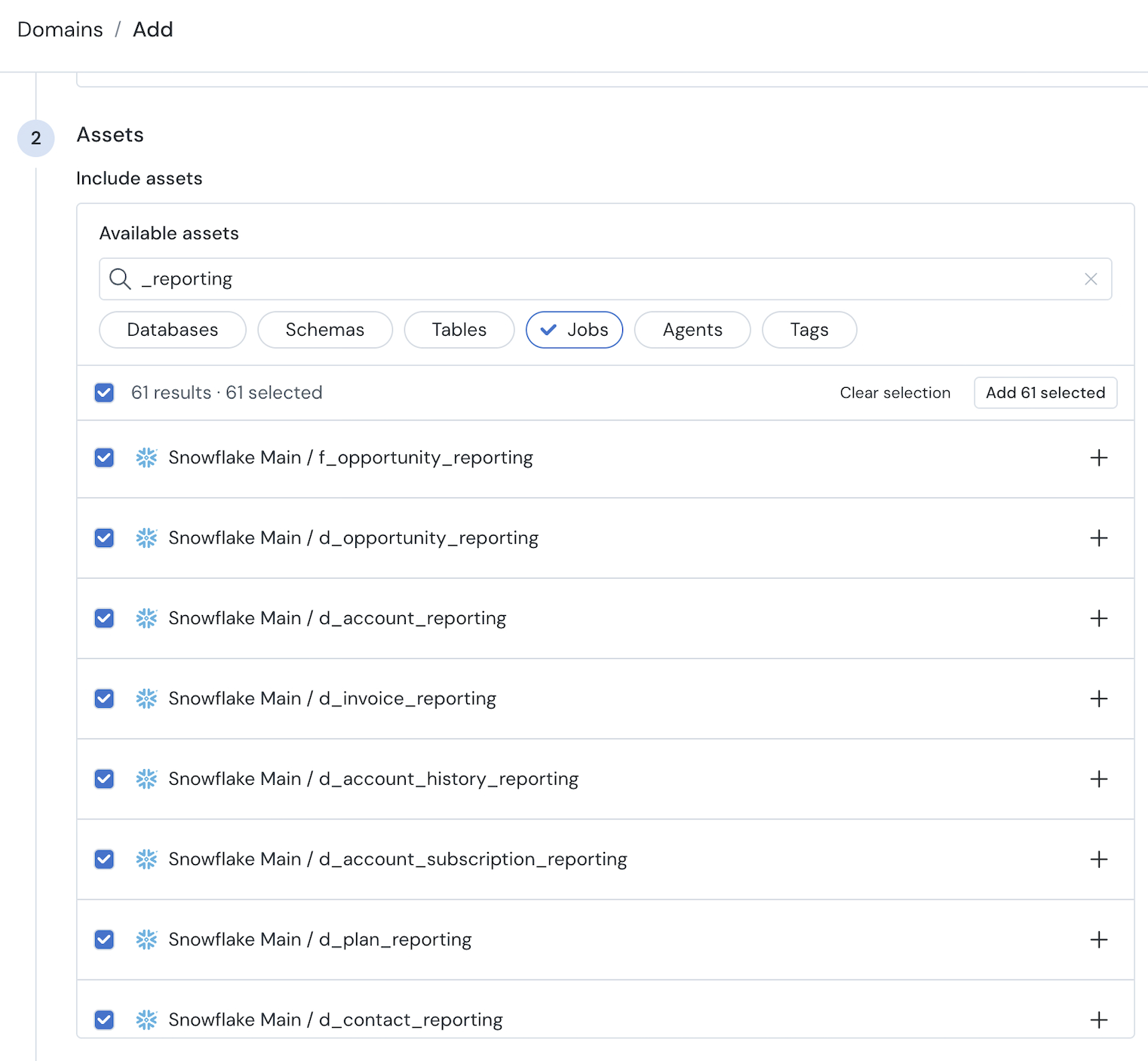
Bulk-select assets
Add or exclude a whole integration
- Add an integration — bring a warehouse or an orchestration/ETL integration into a domain as a single unit
- Exclude an integration — Integration joins database, schema, table, job, and tags as an exclusion rule type
Resolves dynamically — anything added to that integration later is already in scope
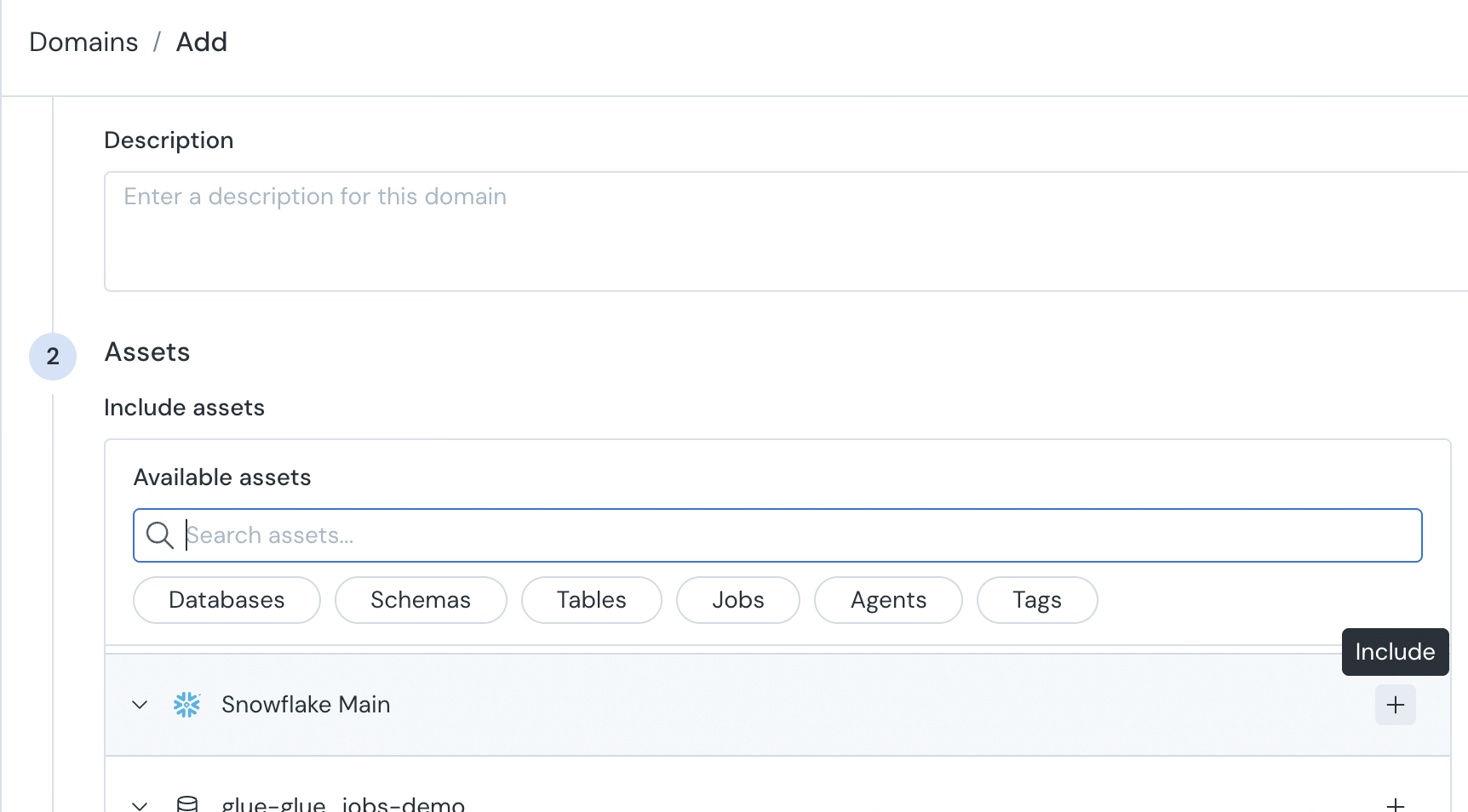
Add an entire integration to a domain
Filter the Asset selections by tag
A new Filter assets option lets tags narrow what you've selected. Until now, tags could only widen a selection, so keeping a domain tight meant maintaining an exclusion list of everything that didn't belong.
Now you pick an integration, database, schema, or asset tag, then require the tags an asset inside it must carry to be included — several at once if you need them.
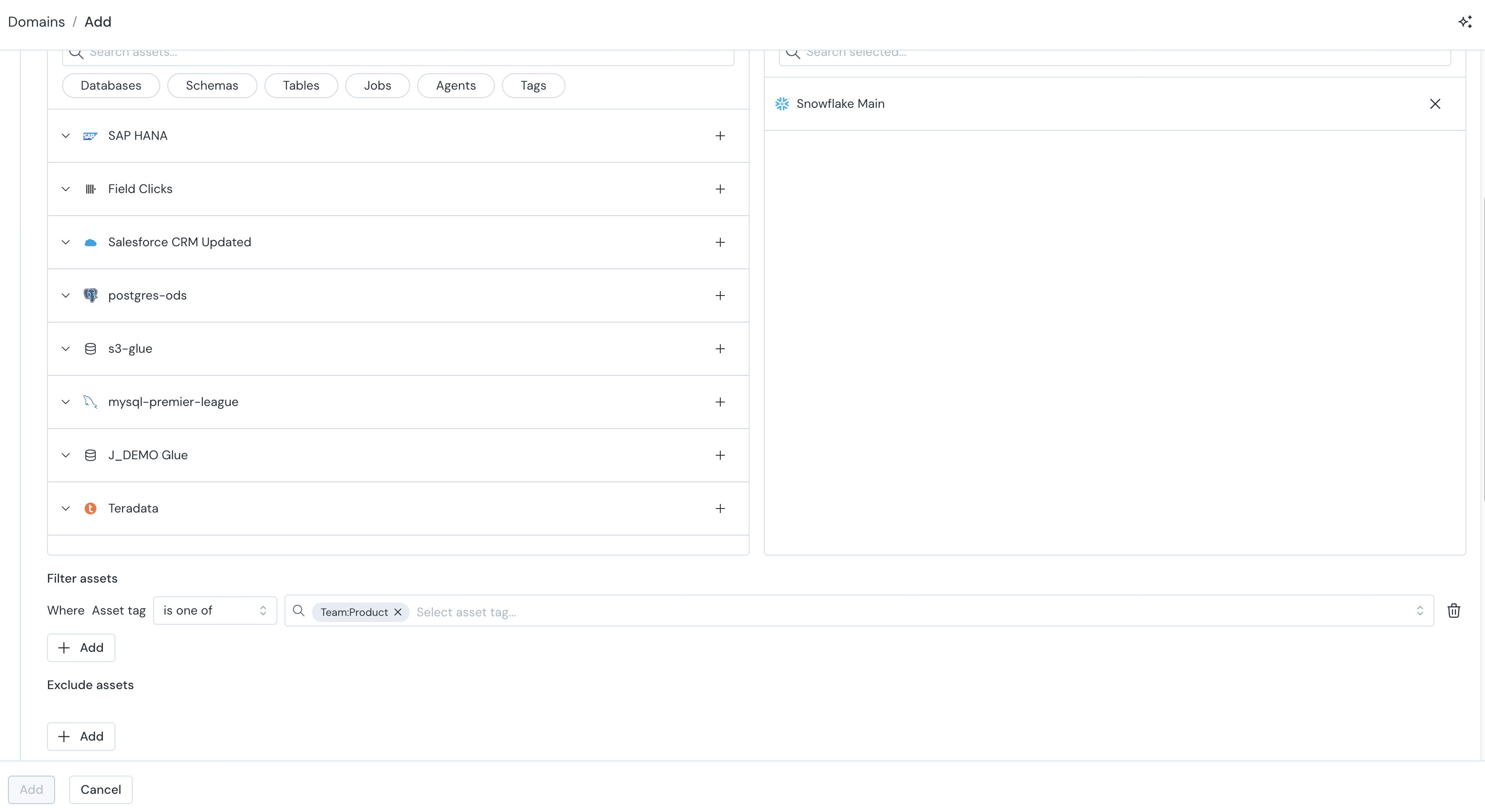
Create tag based inclusion filters