
Updates to Domains
In the coming months, changes to Domains will be released to address painpoints in the ownership of Monitors and messiness in reporting. The options for how to configure Domains will remain unchanged, but the UI will shift and the relationship between Monitors and Domains will become more explicit.
These changes have been already deployed to some newer customers, and will be rolled out to all customers later. Stay tuned for more communication.
Changes:
- Monitors should be assigned to a Domain. When creating a Monitor, the top of the form will ask the user to select a Domain. The available Domains will be filtered to the ones the user has access to. Asset selection for that Monitor will then be filtered by the selected Domain.
- Alerts will inherit the Domain of the Monitor that created them. So if an Asset is included in multiple Domains, but you only have access to 1 of them, then you may not be able to see all Alerts for that Asset.
- Domain management will move out of Settings and into its own tab on the left side-nav. In addition, improved analytics and dashboarding will be provided, showing key metrics by Domain.
These changes address a couple longstanding challenges in Monte Carlo:
- Ownership of Monitors. Historically, users would see (and could edit/delete) all Monitors associated with the Assets in a Domain. Since Domains often overlap, this meant users could see, edit, or delete Monitors that were not theirs.
- Messy Reporting. For the same reason, reporting on key operational metrics (time to detection, status update rate, etc) by Domain was muddied by cross-pollination of Monitors and Alerts. This made it hard to report on operational progress & improvements.
Note that the options for how to configure Domains will remain unchanged. Rather, the change is in the relationship between Domains, Monitors, and Alerts created by those Monitors.
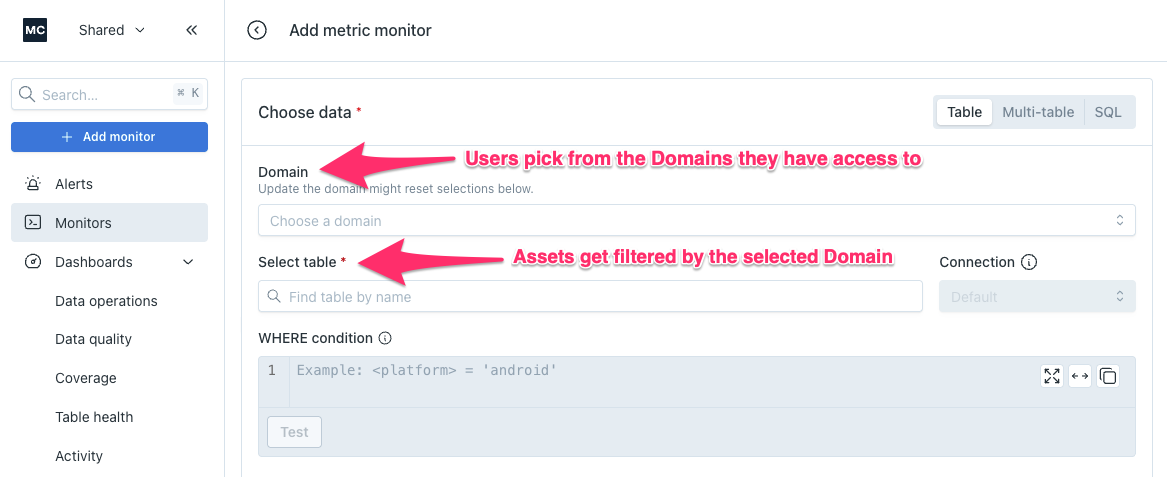
When creating a Monitor, the top of the form will ask the user to select a Domain. The available Domains will be filtered to the ones they have access to. Asset selection for that Monitor will then be filtered by the selected Domain.
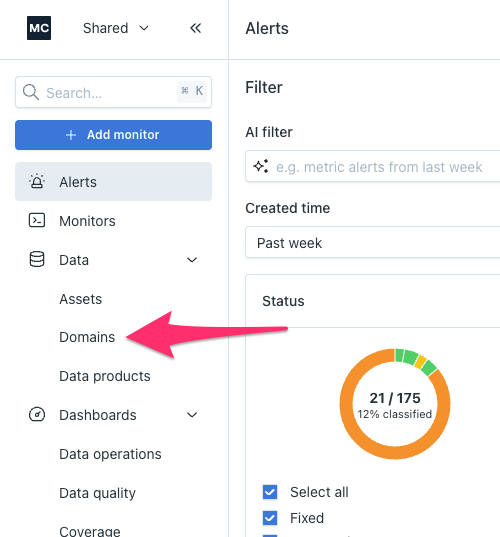
Domain management will move out of Settings and into its own tab on the left side-nav.
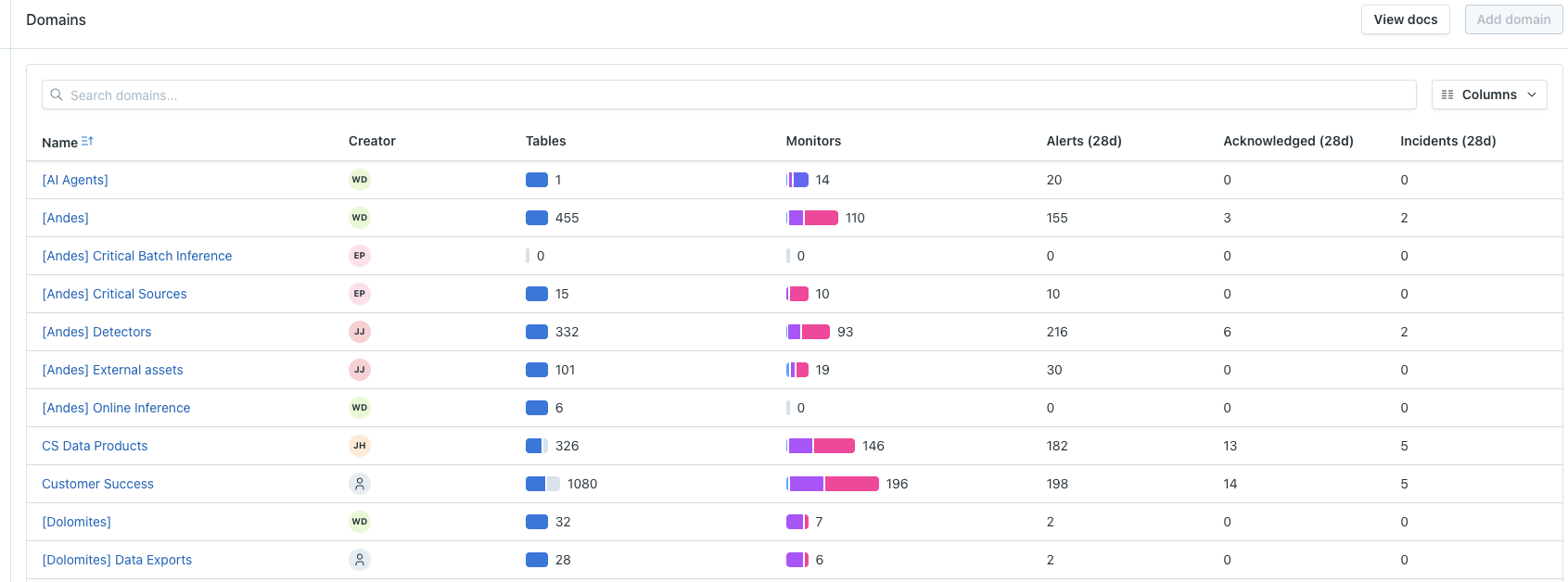
Improved analytics and dashboarding will be available, showing key metrics by Domain.