
Troubleshooting and FAQs: API
Monte Carlo API Limits
When using the API, you may return errors such as the one below. These might indicate that you are hitting your preset API call limit with MC. Please ask Bayes and one of our engineers can help resolve your issue.
Error - 429 Client Error: for url: https://api.getmontecarlo.com/graphql
Base level API limits are as follows:
- 10,000 API calls per day*
- 100 requests per second
- 50 requests in a burst
*Please note that the daily limit can vary by your pricing package.
What counts toward the API limit
Customer-initiated API calls count toward the daily limit, such as requests made via the GraphQL API, the Monte Carlo SDK, or the Monte Carlo CLI (e.g., Monitors as Code operations). Requests via the MCP server do not count toward the limit.
Viewing your API usage and limits
You can view your API usage and limits within Monte Carlo by visiting the Account Information page. Your usage resets daily at UTC midnight.
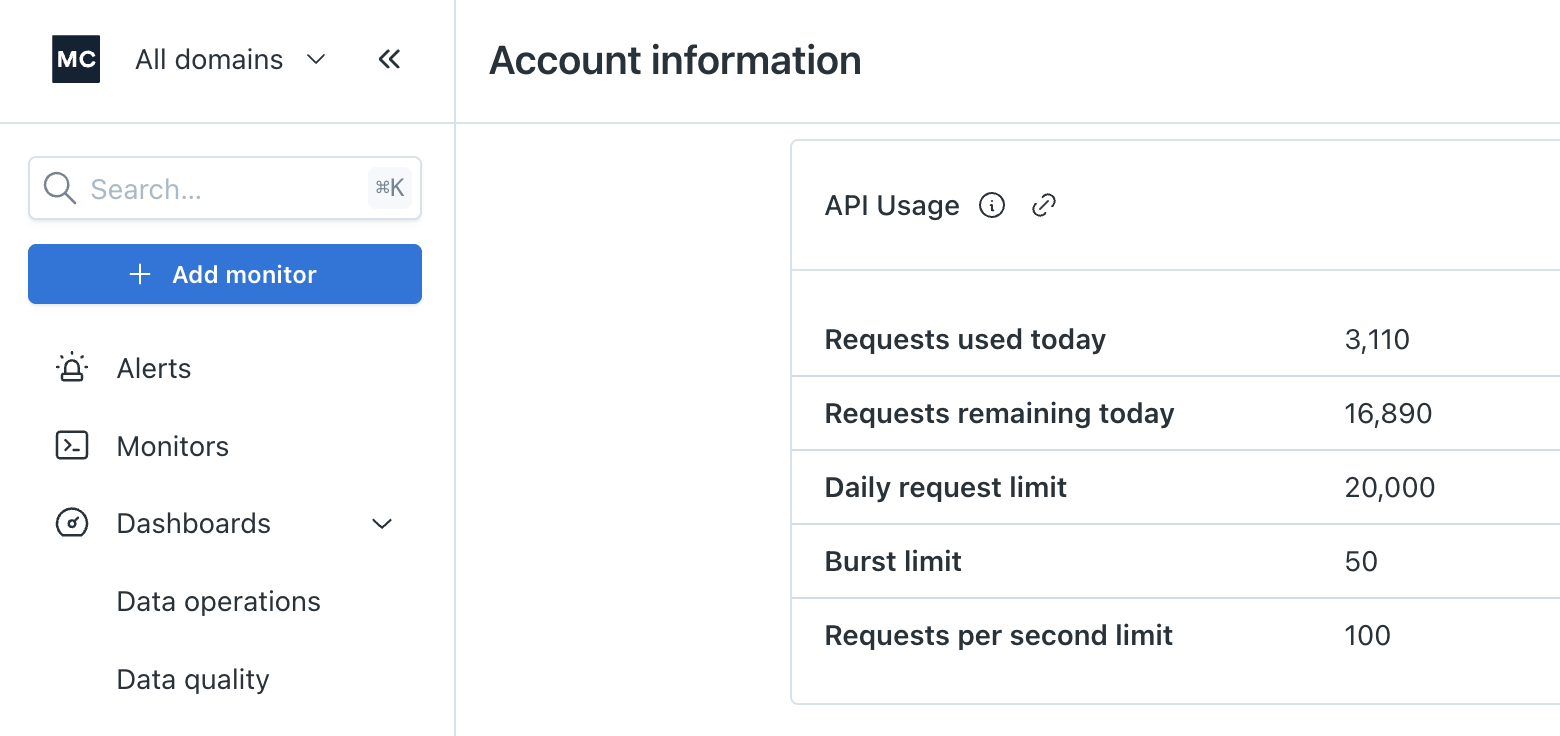
To view historical usage, you can use the API Explorer to make an API request to the getApiUsage endpoint.
Responses that are too large (413)
A 413 error from the GraphQL API means the response was larger than the API's size limit, not that your request was too large. Ask for less in each call: page through the results, narrow the query with filters, or select fewer fields. For example, getNotificationAudiences takes limit and offset, or an audienceId to fetch one audience at a time.
If the SDK doesn't accept a paging argument the API supports, upgrade it. See Keeping pycarlo current.
Network Access Control (IP Allowlisting)
You can restrict which IP addresses are allowed to access Monte Carlo's API and integration endpoints using Network Access Control Lists. This acts as an allowlist — only IPs you explicitly specify will be permitted.
For full details including setup, management, and per-scope configuration, see Network Access Control.
Updated 10 days ago