
Glue External Tables
Overview
AWS Glue is a fully managed metadata catalog and data preparation service. Glue acts as the central metastore that tracks what data you have in Amazon S3: the databases, tables, columns, and file formats. It doesn’t store the data itself — it stores only metadata about the structure and location of your data. Glue can automatically infer schemas using crawlers, or you can define tables manually.
Athena is a serverless, pay-as-you-go query engine that lets you query data directly in Amazon S3 using SQL. Athena uses the Glue Data Catalog as its metastore, meaning any Glue tables become instantly queryable in Athena. This combination—Glue + Athena—gives you a low-overhead way to expose your file storage data to Monte Carlo.
File Type Support
Glue supports creating tables from the following file types:
- CSV
- JSON
- Parquet
- Avro
- ORC
- Iceberg
- Delta
- XML
- Ion
- grokLog
File type support is controlled by Amazon. Please reach out to Amazon if you need additional file formats supported.
Steps
Already have external tables in Glue?If you already have external tables created in Glue, skip to Add Glue and Athena in Monte Carlo.
- Decide if you want to use a Glue Crawler to create tables from S3 automatically or define the tables manually.
- Create the Crawler or External tables.
- Add the Glue + Athena integrations in Monte Carlo.
- Create Table Monitors for the external tables.
Create a Glue Database and Tables From S3 Files
Below are two example paths: (A) using Glue Crawlers (automatic) and (B) defining tables manually.
As always please refer to the AWS documentation for detailed instructions, configuration options, and limitations.
A. Create Glue Database + Tables Using a Crawler
If you'd like you can use this quick-create link below to deploy a Glue database and crawler on your S3 bucket in your AWS account:
If you need to share with a colleague or first review the template you can download a copy here.
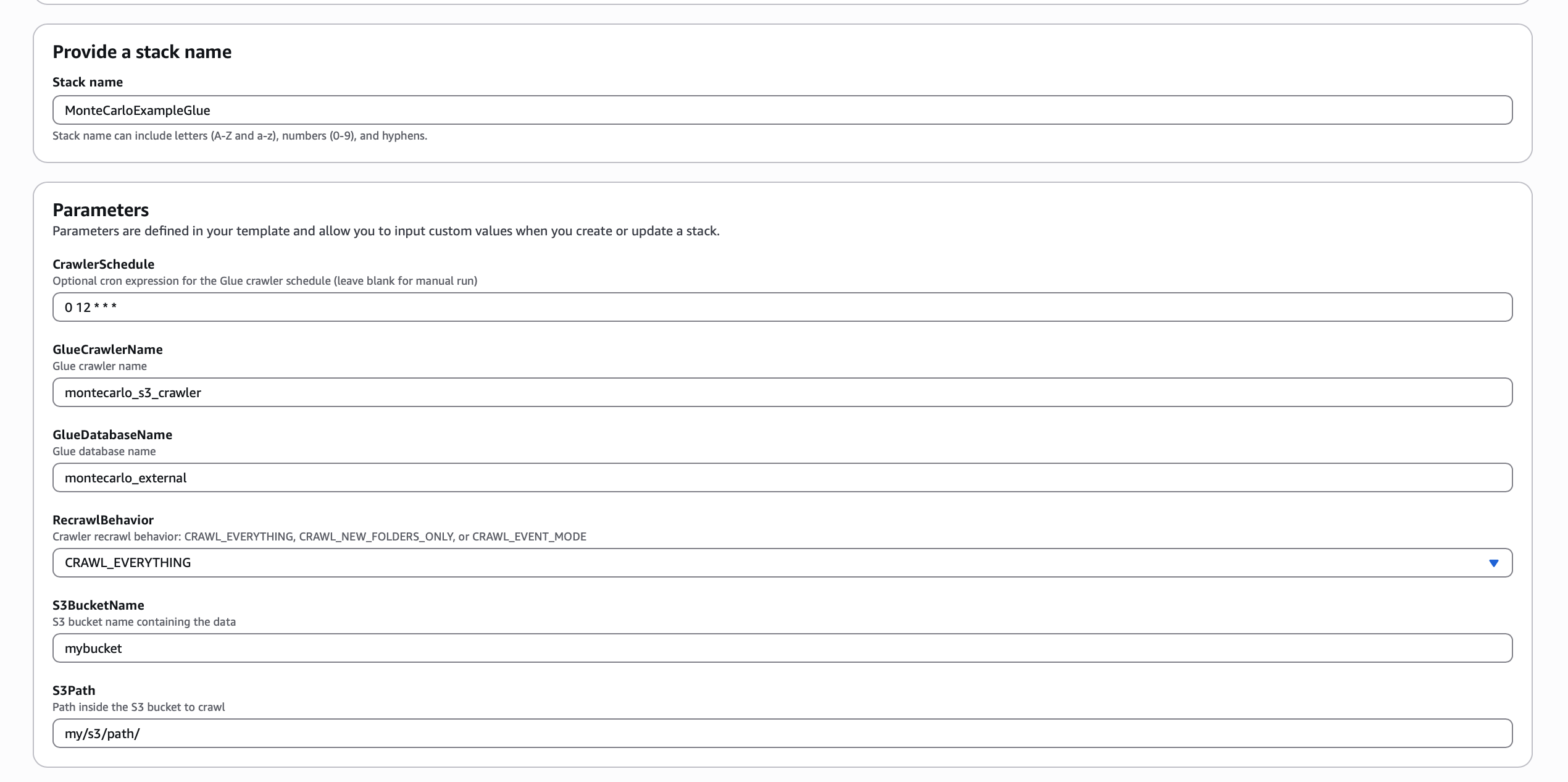
After the crawler runs, the tables will automatically appear in Athena → Data sources → AWS Data Catalog, ready to query.
B. Create Glue Database + Table Manually
- Create the Glue database
CREATE DATABASE montecarlo_external;- Define an external table (example for Parquet files):
CREATE EXTERNAL TABLE montecarlo_external.my_table (
    id string,
    created_at timestamp,
    amount double
)
STORED AS PARQUET
LOCATION 's3://my-bucket/path/to/data/'
TBLPROPERTIES (
    'classification'='parquet'
);
Add Glue + Athena Integration in Monte Carlo
Now that you have created the tables in Glue, we can add a Glue + Athena integration in Monte Carlo to monitor these tables.
Glue
Connecting to Glue allows Monte Carlo to discover the tables cataloged by Glue, providing users with:
- The ability to discover and explore data assets cataloged by Glue
- Table metadata type, schema, column, and partition information
- Schema monitoring
The steps to connect Monte Carlo to Glue are:
- Generate a Glue access policy
- Create an access role
- Provide role information to Monte Carlo
This can be completed using the Monte Carlo CLI (recommended) or through the AWS UI directly. For detailed instructions on how to connect Glue for either option, please see our Glue documentation.
Athena
Once you have connected Monte Carlo to Glue, you can add an Athena connection. Connecting to Athena allows Monte Carlo to run SQL queries on the tables cataloged in Glue. This provides users with the ability to create monitors on Glue tables such as volume, metric, comparison, validation and custom SQL rules.
The steps to set up Athena are:
- Create a workgroup for Monte Carlo queries
- Create an IAM role that allows Athena access for the Monte Carlo deployment
- Provide the role information to Monte Carlo
For detailed instructions on how to connect Athena, please see our Athena documentation.
Create Table Monitors on External tables
With the Glue+Athena integrations added, you can now create table monitors for schema, freshness and volume on the external tables. See our guide on creating table monitors.
Glue + Athena Table Monitor LimitationsBy default, Monte Carlo cannot collect freshness and volume metadata on Glue tables. With an Athena integration, opt-in volume monitoring is available to be enabled on individual assets.
Please note: Explicit thresholds are not available for non-metadata size collection monitors.
You can also create additional monitors types if you’d like (e.g., custom).
Updated 9 months ago