
Exception Management
Exception management allows users to track and manage individual rows that breach Validation or Custom SQL monitor conditions. Rather than triaging issues only at the alert level, users can assign, comment on, and resolve breached rows individually. This is useful for compliance and audit workflows where each record requires its own resolution path.
Exception management applies to Validation and Custom SQL monitors. Custom SQL monitors that use static or runtime variables do not support exception management.
Setting Up Exception Management
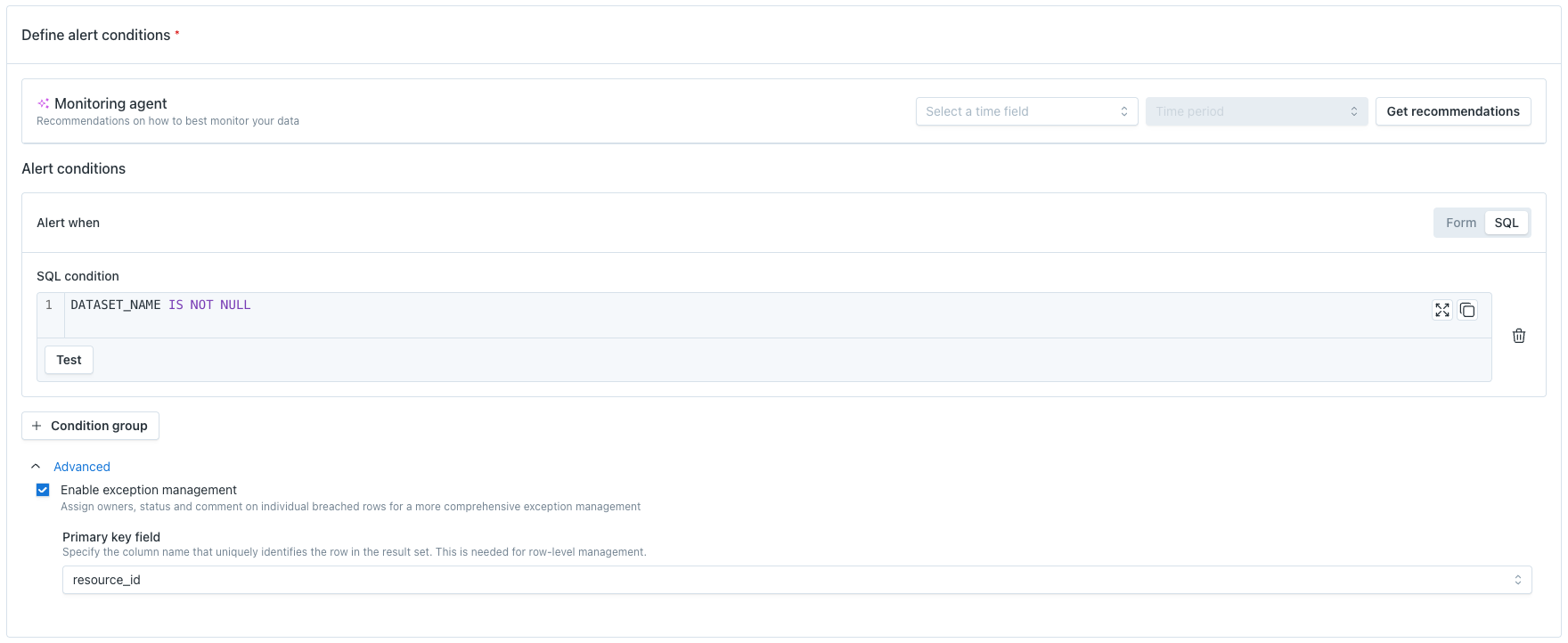
To enable exception tracking on a monitor, a user must specify a primary key field during monitor creation or editing. The primary key identifies which field uniquely represents each row, so that Monte Carlo can track individual breached records across monitor runs.
Viewing Exceptions
Exceptions are managed from a tab on the monitor detail page, not from individual alerts. This is because exceptions can exist from a monitor run even when no alert has been triggered.
Exceptions Table
The exceptions table shows all breached rows for a monitor. Each row includes:
Data Sample Columns - the primary key and columns for each row.
Age - the amount of consecutive occurrences of that row breaching.
Status - the current resolution status of the exception
Owner - the user assigned to resolve the exception
Comments - any comments and activity history on the exception
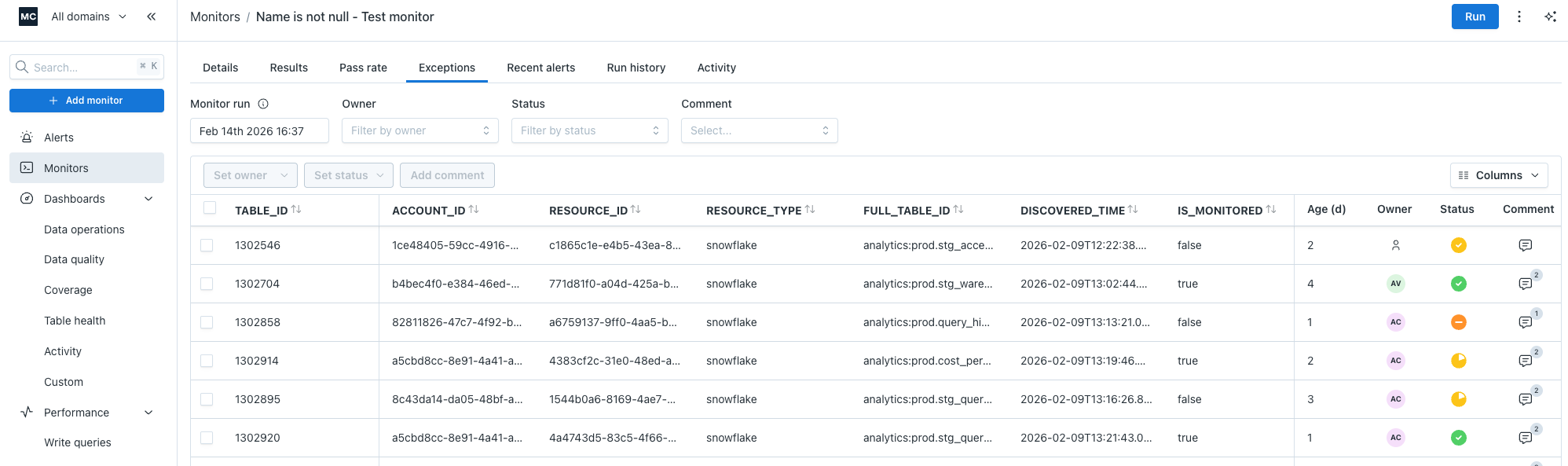
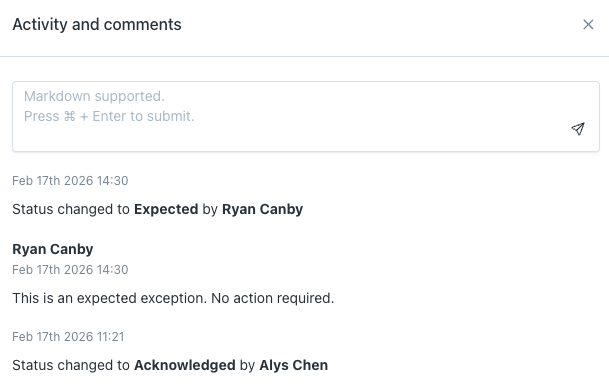
Users can track activity and comment history for each exception.
Managing Exceptions
Each exception can be individually updated with a status, owner, and comments.
Status
Set a resolution status on an exception to track where it is in the resolution process. Only one status can be active per exception at a time.
Owner
Assign a single user to be responsible for resolving the exception. This is helpful when different breached rows require action from different people or teams.
Comments
Add comments to an exception to provide context, document investigation steps, or note resolution details. Comments include the user who added them and a timestamp.
Bulk Actions
Users can apply actions to multiple exceptions at once.
Filtering Exceptions
The exceptions table can be filtered to focus on specific subsets of records. This is useful when a monitor produces a large number of exceptions and users want to work through them in batches.
Exceptions table can be filtered by Monitor Run, Owner, Status, and if there are comments.
Limits
Exception tracking is subject to the following limits:
By default, a monitor tracks up to 500 exception records. This can be increased to a maximum of 5,000.
Only the primary key identifier for each record is stored by Monte Carlo, not the full row data.
Exception tracking is only available on Validation and Custom SQL monitors where a primary key has been specified.
Custom SQL monitors using static or runtime variables do not support exception tracking.
Data sampling must be enabled for exception tracking to be configured.
How Exceptions Differ from Alerts
Monte Carlo alerts represent the results of a single monitor run that breach a designated threshold. When a Validation or Custom SQL monitor runs and finds breached rows, an alert is created containing those rows. If the same row continues to breach across multiple runs, it appears in multiple alerts.
Exceptions track all breached rows for a monitor run and how many times that row has breached in previous monitor runs, regardless of if there was an alert triggered. This makes it possible to see the list of open issues, track which ones have been resolved, and identify which exceptions are new.
Updated 4 months ago