
FireHydrant
Integrate Monte Carlo with FireHydrant
Monte Carlo integrates with FireHydrant using FireHydrant webhooks, making it easy to send alerts directly to FireHydrant for quick visibility and team collaboration. This guide walks you through setting up the integration, so your team can start receiving Monte Carlo alerts in FireHydrant.
Integration setup
To integrate Monte Carlo with FireHydrant, you'll need to create a FireHydrant webhook. Follow these steps to get started:
-
In FireHydrant, navigate to the location where you want to receive Monte Carlo alerts.
-
Follow the instructions in FireHydrant's documentation to create a generic webhook event source.
-
Once the webhook is created, copy the webhook URL provided by FireHydrant.
-
Follow the instructions in Send notifications to FireHydrant to add this URL to Monte Carlo and start receiving alerts.
Send notifications to FireHydrant
-
Create an Audience or edit an existing one.
-
Define a new recipient channel and select FireHydrant.
- (Optional) Enter a custom Recipient display name.
-
Paste the webhook URL you copied from FireHydrant into the Webhook URL field.
-
(Optional) Configure FireHydrant Incident Tags
-
Finally, you can send a Test notification to verify it's received in FireHydrant before saving; or you can add the recipient channel and save the audience directly.
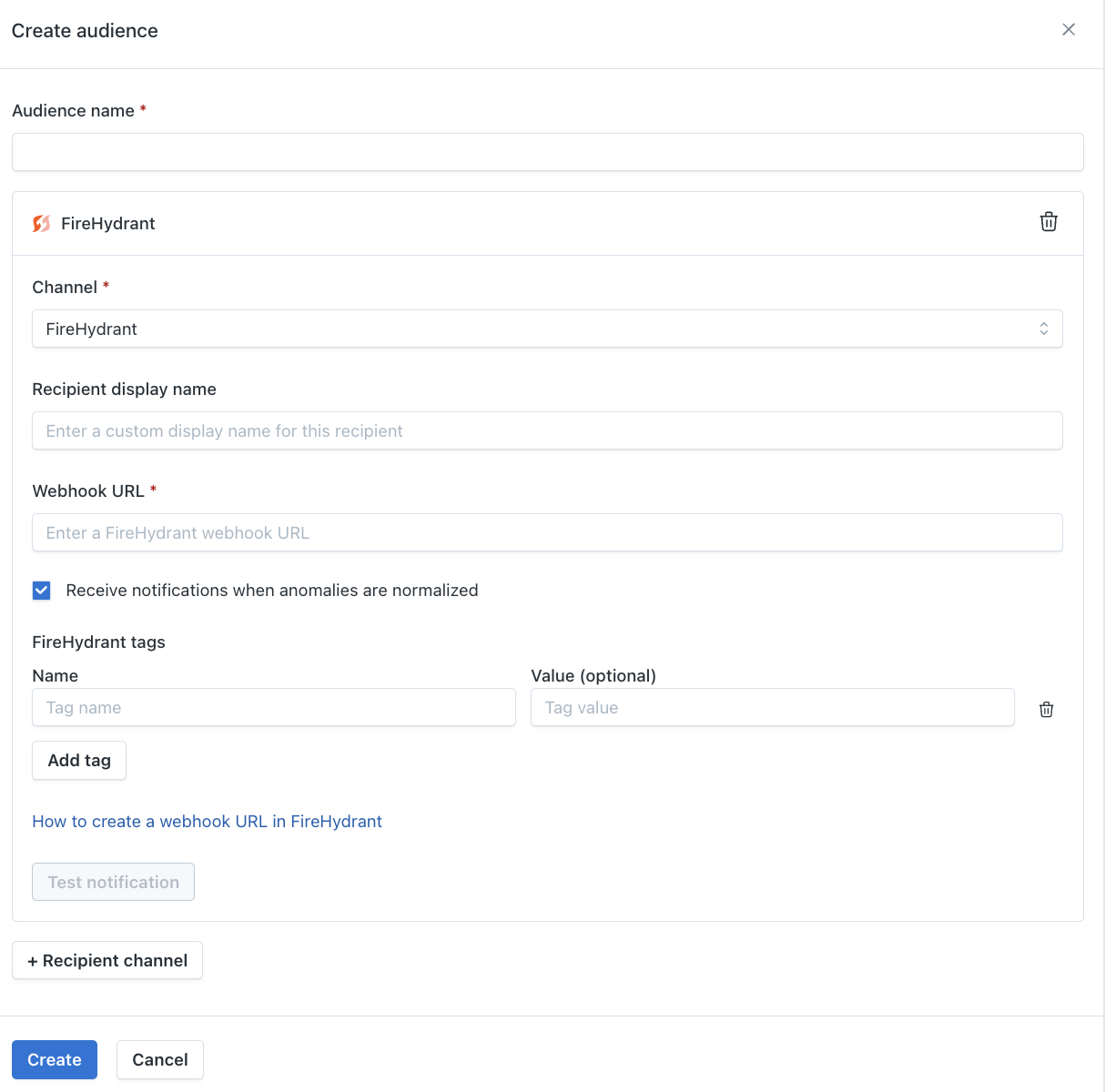
FireHydrant Incident Tags
You can define Incident Tags on any FireHydrant notification channel to categorize or route the incidents created by Monte Carlo alerts. Tags support key/value pairs or key-only, and are applied to every alert sent through that audience.
To configure tags:
- When creating or editing a FireHydrant recipient channel in an Audience, look for the FireHydrant tags section.
- Add one or more tags by specifying a key and, optionally, a value.
- Save the audience.
These tags are delivered in the tags array of the FireHydrant event. Whitespace in them is normalized before sending: spaces around : are removed, and any remaining whitespace becomes -. For example, my team : prod is sent as my-team:prod.
Monitor tags
Alerts also carry the monitor tags of the monitor that raised them, in the same tags array as the audience tags above. This lets you route in FireHydrant Signals on attributes that live on the monitor itself — a team or a priority, for example — instead of creating a separate audience for each routing target.
- Each tag is sent as
name:value, or justnamewhen the tag has no value. A monitor taggedteam/my_teamarrives asteam:my_team. - Tags are sent exactly as they appear in Monte Carlo — no reformatting or normalization, unlike the audience tags above. What you see on the monitor is what you match on in FireHydrant.
- Every monitor type that supports tags is included. See Monitor tags for which monitors can be tagged and how to apply tags.
- When an incident groups several monitors that share a tag, that tag is sent once.
For example, a monitor tagged team / analytics alerting through an audience configured with the tag env:prod produces:
"tags": ["source:monte-carlo", "team:analytics", "env:prod"]Every alert Monte Carlo sends to FireHydrant also carries the source:monte-carlo tag.
Verifying with a test notificationThe Test notification button sends a sample event that isn't tied to any monitor, so it won't include monitor tags. To confirm your tags are arriving, trigger or wait for a real alert from a tagged monitor and inspect that event in FireHydrant.
Updated 2 months ago