
Warehouse Cost & Performance Agent
Find and cut warehouse spend
Consumption rates V2 | Consumption rates V1
The Cost & Performance agent helps data teams find and reduce warehouse spend — across both storage (tables you're paying to keep but no longer use) and compute (expensive or inefficient query patterns). It combines a conversational AI agent with a structured Findings report that surfaces your top optimization opportunities, so you can explore interactively, browse a prioritized report, or query the agent through the Agent Toolkit (MCP).
What makes it different from a standalone cost tool: Monte Carlo already maps your lineage, runtime, and query history. So the agent doesn't just tell you what's expensive — it tells you what's safe to change, because it can see what depends on each table before recommending you touch it.
The agent recommends; it does not act on your behalf. It surfaces the finding, the reasoning, and the change to make — you stay in control of what actually changes in your environment.
How it works
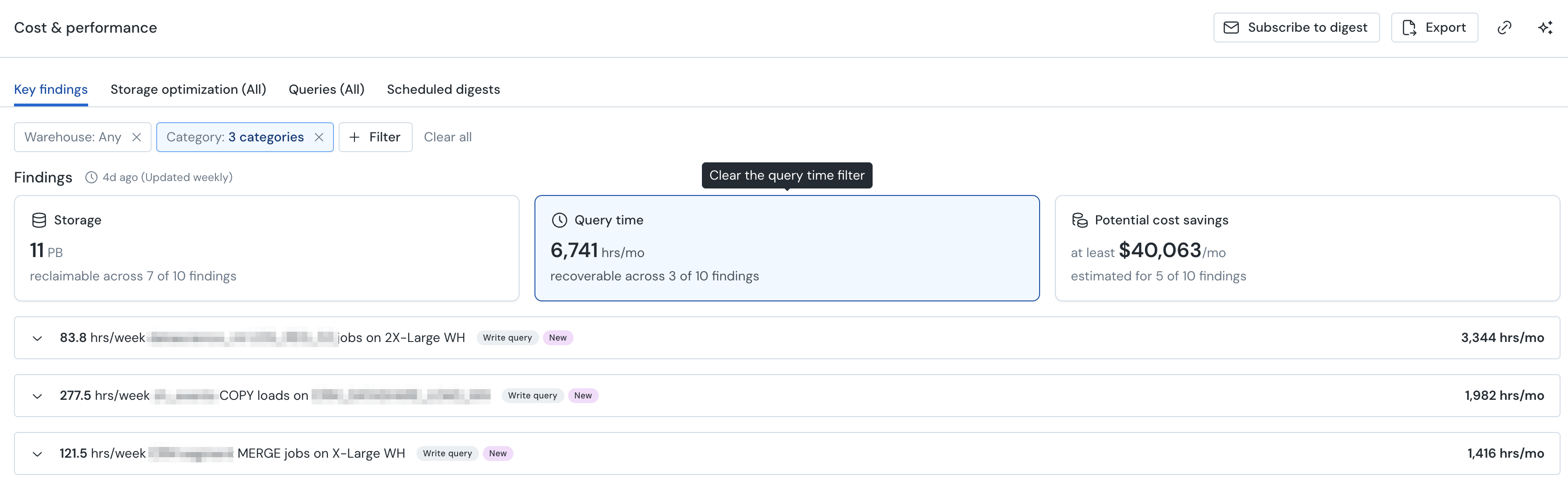
The agent analyzes the metadata Monte Carlo already collects — table sizes, read/write history, lineage, and query logs — and turns it into a ranked list of key findings: specific, actionable opportunities to reduce spend. Each finding names the assets involved, explains why it's flagged, estimates the impact where it can, and recommends what to do.
You can also click "Find out more" on any finding to open it in the agent with full context preloaded — from there, ask any follow-up question to investigate deeper.
Because it reasons over lineage, it can distinguish a table that's genuinely orphaned from one that quietly feeds a downstream view or dashboard — the difference between a safe cleanup and a broken pipeline.
Capabilities
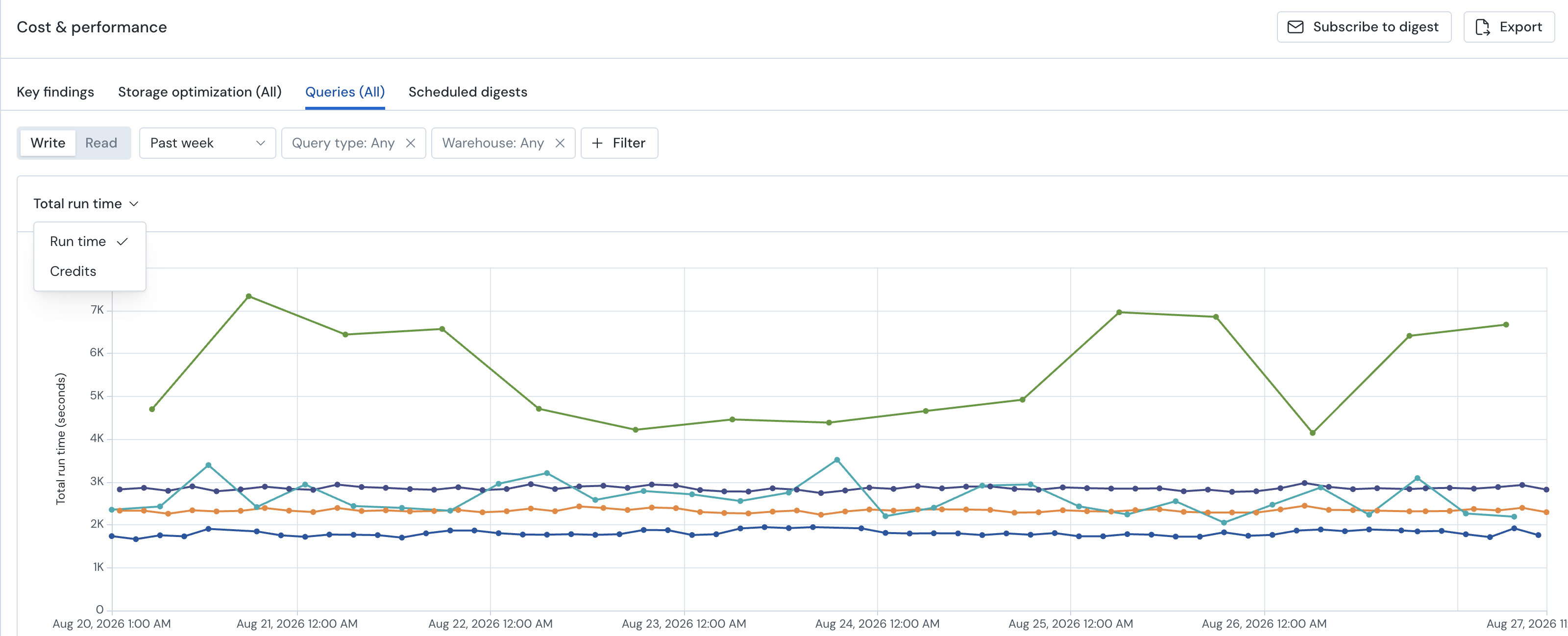
Alongside the Queries tab, where you can rank every query by run time or credits and dig into each one yourself, the Cost & Performance agent now covers three areas of cost analysis — surfacing what's worth acting on without you having to go looking.
Storage cost analysis
Identifies tables wasting storage spend by classifying them into waste patterns, including:
- Unread tables — exist but are never queried by downstream consumers
- Write-only tables — continuously written to but never read
- Dead-end tables — no downstream lineage (nothing consumes them)
- Static waste — data hasn't changed in a significant period
- Zombie tables — no longer written to, but still consuming storage
- Other stale — other signals of disuse
For each candidate, the agent uses Monte Carlo lineage to verify the table is truly unused before recommending cleanup, and estimates the storage savings from removing it. Each candidate is assigned a risk tier so you know what's safe to act on.
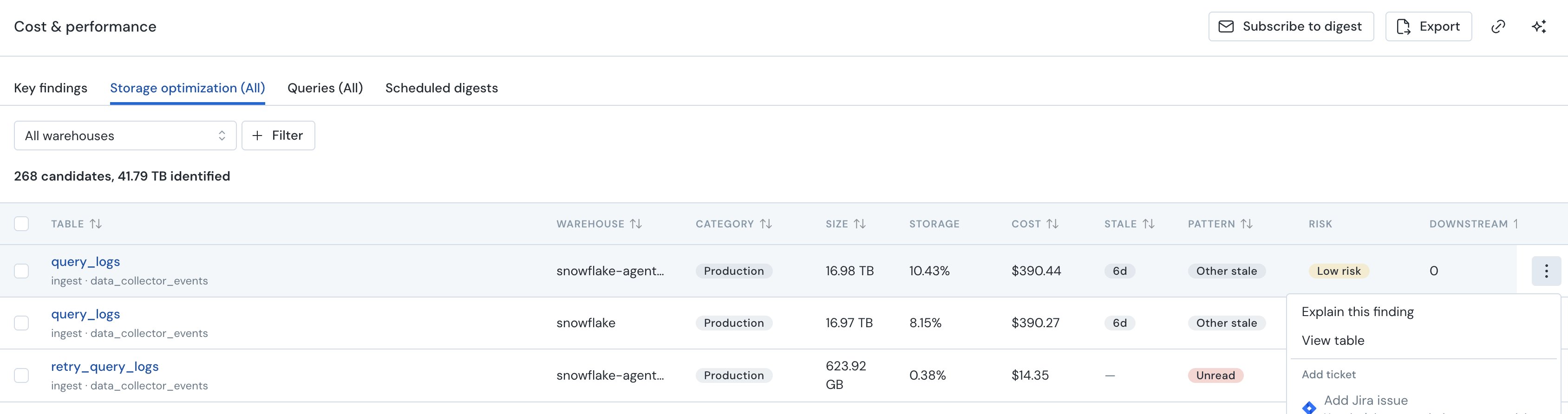
***The agent excludes tables it can't safely recommend dropping — for example, inbound shared datasets (such as Snowflake Secure Data Shares) whose storage is billed to the provider, not your account.
Compute analysis
Analyzes query groups (recurring query patterns) across your warehouse to surface runtime and performance opportunities. The agent can:
- Rank query groups by runtime, duration, credit cost, or frequency
- Identify runtime anomalies and outliers (e.g. a job whose max runtime is many times its average)
- Surface anti-patterns — full scans where a partition filter would help, high-frequency micro-batches, redundant duplicate pipelines
- Profile a query group's performance over time
Warehouse usage analysis
For Snowflake environments, the agent adds warehouse-level analysis:
- Ranks warehouses by credit consumption
- Identifies over-provisioned or under-utilized warehouses
- Recommends right-sizing (which can mean up-sizing — a larger warehouse that finishes faster sometimes costs less overall)
Scheduled digests
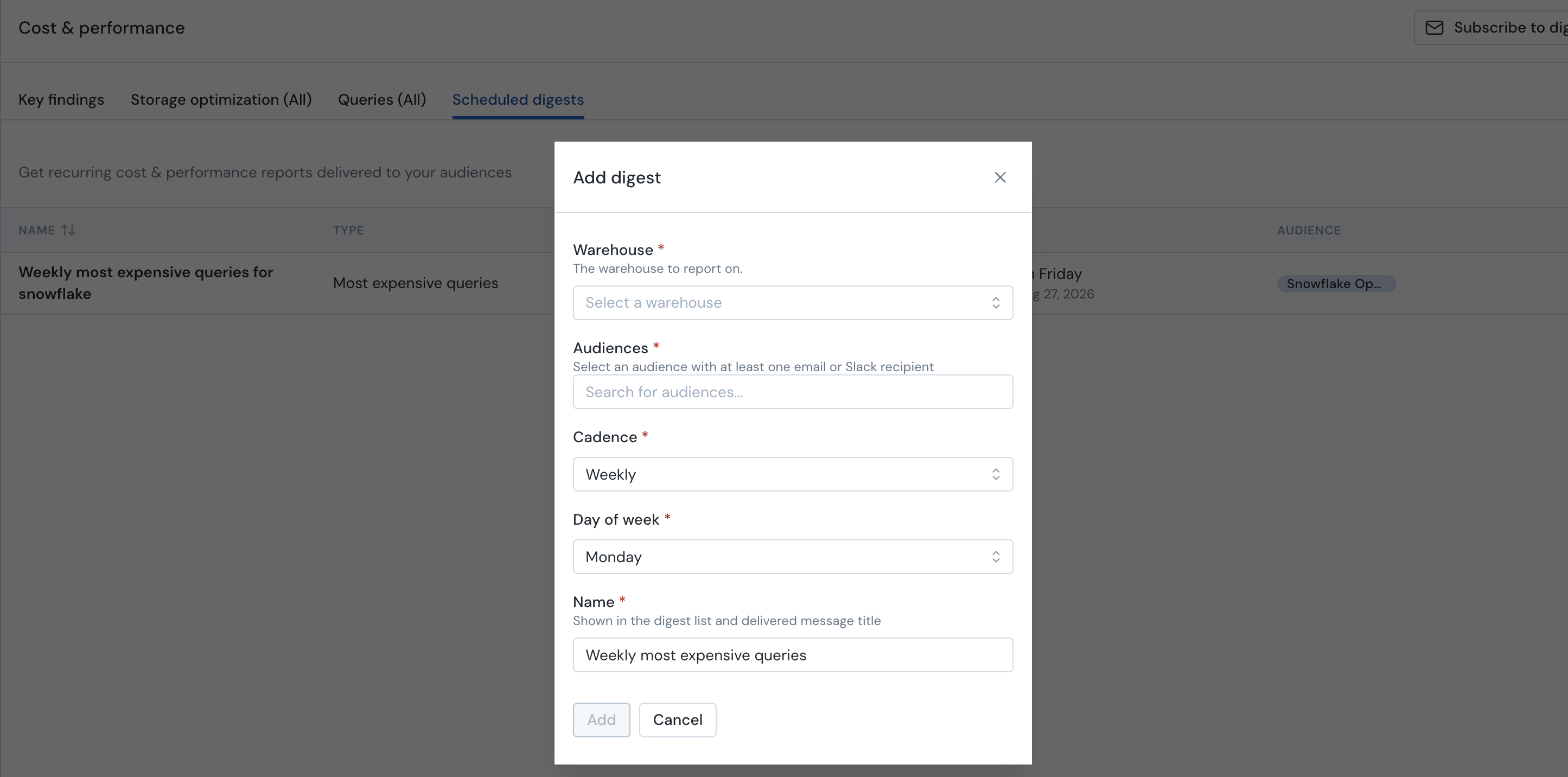
Rather than re-running an investigation each time, subscribe to a scheduled digest — a recurring summary of your storage and query-group findings, delivered by email on a cadence you choose. Open the Scheduled digests tab and set:
- Warehouse — which connection to report on
- Audience — the recipients (any Monte Carlo audience - email or slack)
- Cadence — how often it sends, and on which day
Digests are a low-effort way to keep the team aware of cost trends and new opportunities without anyone logging in to look.
Accessing the agent
In the Monte Carlo UI
The agent is available at Cost & Performance in main navigation.
From any finding you can expand the full detail, copy the recommendation, create a ticket to track the work, or Export the full list to act on it outside the product. You can also click "Find out more" on any finding to open it in the agent with full context preloaded — from there, ask any follow-up question to investigate deeper.
Via the Agent Toolkit (MCP)
The Agent Toolkit exposes the agent's analysis to AI coding tools like Claude Code and Cursor. The storage-cost-analysis skill covers storage waste; the performance-diagnosis skill covers query and runtime analysis. For example:
- "What's costing us the most in storage?"
- "Identify unread tables in my warehouse"
- "Estimate cleanup savings for unused tables"
Configuring the Cost & Performance Agent
You control the agent from account-wide settings. You control the scope the agent analyzes.
Account-wide settings
Go to Settings > Cost & performance agent
Usage — Automatically analyze warehouse usage to surface cost and performance opportunities. Choose by:
- Do not restrict (the default)
- Limit to free usage only, which caps the agent at the free monthly allowance (1 finding)
Warehouses to analyze — Choose which warehouses the agent can analyze:
- All warehouses — every supported warehouse in the account
- Target specific warehouses — select individual warehouses from the dropdown
Findings — Choose which types of saving opportunities the agent surfaces:
- All (the default)
- Storage only — unused and stale tables, storage optimization candidates
- Compute only — warehouse sizing, idle time, and query optimization
Security & data privacy
The Cost & Performance agent uses only metadata, lineage, and query-log data — it does not access or process the actual data inside your tables, and it never runs queries against your warehouse to perform its analysis. For more detail, see AI Features and Technical Information.
FAQ
Does the agent change anything in my warehouse?
No. It recommends and provides the change to make; you decide what to act on. Monte Carlo is read-only by design.
How does it know a table is safe to drop?
It combines two signals: no read activity in the query logs, and no downstream dependencies in lineage. Because that's based on captured activity, the agent assigns a risk tier and recommends confirming before dropping.
Why don't I see dollar estimates for my warehouse?
Dollar estimates require a clear cost-to-usage mapping, which not always available. For a couple of platforms the agent shows table sizes and runtime.
Can it analyze object storage (S3 / GCS buckets) directly?
Not today — the analysis is table-centric, working from catalogued warehouse tables.
Updated 7 days ago