
Federated and linked connections and assets
Overview
Many systems can read data that physically lives somewhere else. A Databricks Lakehouse Federation foreign catalog queries tables in a Snowflake database; a Salesforce Data Cloud Zero Copy object is backed by a table in your warehouse. In each case the same data is reachable from two places you've connected to Monte Carlo.
When Monte Carlo detects one of these references, it links it back to the real source already monitored in Monte Carlo — so you can see, from either side, that they're the same data, and so monitoring, lineage, and incidents line up instead of being split across duplicate copies.
Monte Carlo does this automatically during metadata collection:
- Detects federated/foreign references on a connection.
- Resolves each reference to the source connection (and, for warehouses, the source asset) already in Monte Carlo.
- Surfaces the relationship in the integration settings and on the asset page (and in lineage).
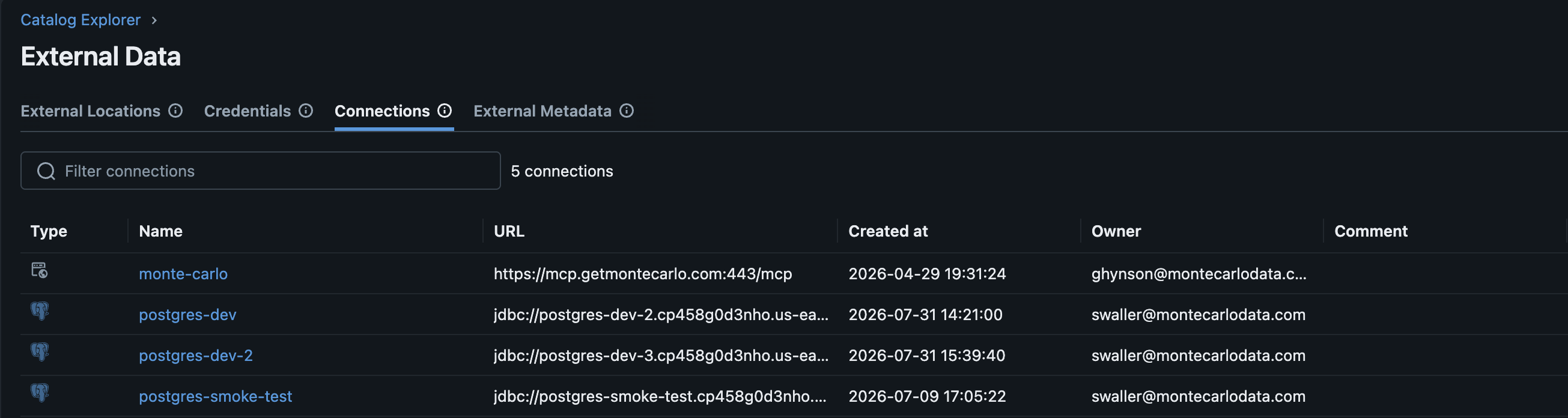
Example of foreign catalog connections in Databricks
Supported integrations
| Integration | Type | What Monte Carlo links |
|---|---|---|
| Databricks (Unity Catalog foreign catalogs / Delta Shares / Lakehouse Federation) | Warehouse | Connections and assets |
| Salesforce Data Cloud (Zero Copy) | Warehouse | Connections and assets |
| MuleSoft | ETL | Connections and asset Lineage |
| Power BI | BI | Connections and asset Lineage |
ETL and BI connections (MuleSoft, Power BI): Monte Carlo does not link individual assets through this system. Instead, the federated references these connections observe are represented as lineage — you'll see the relationship as edges in the lineage graph rather than as linked connections and assets in integration settings.
How a reference resolves
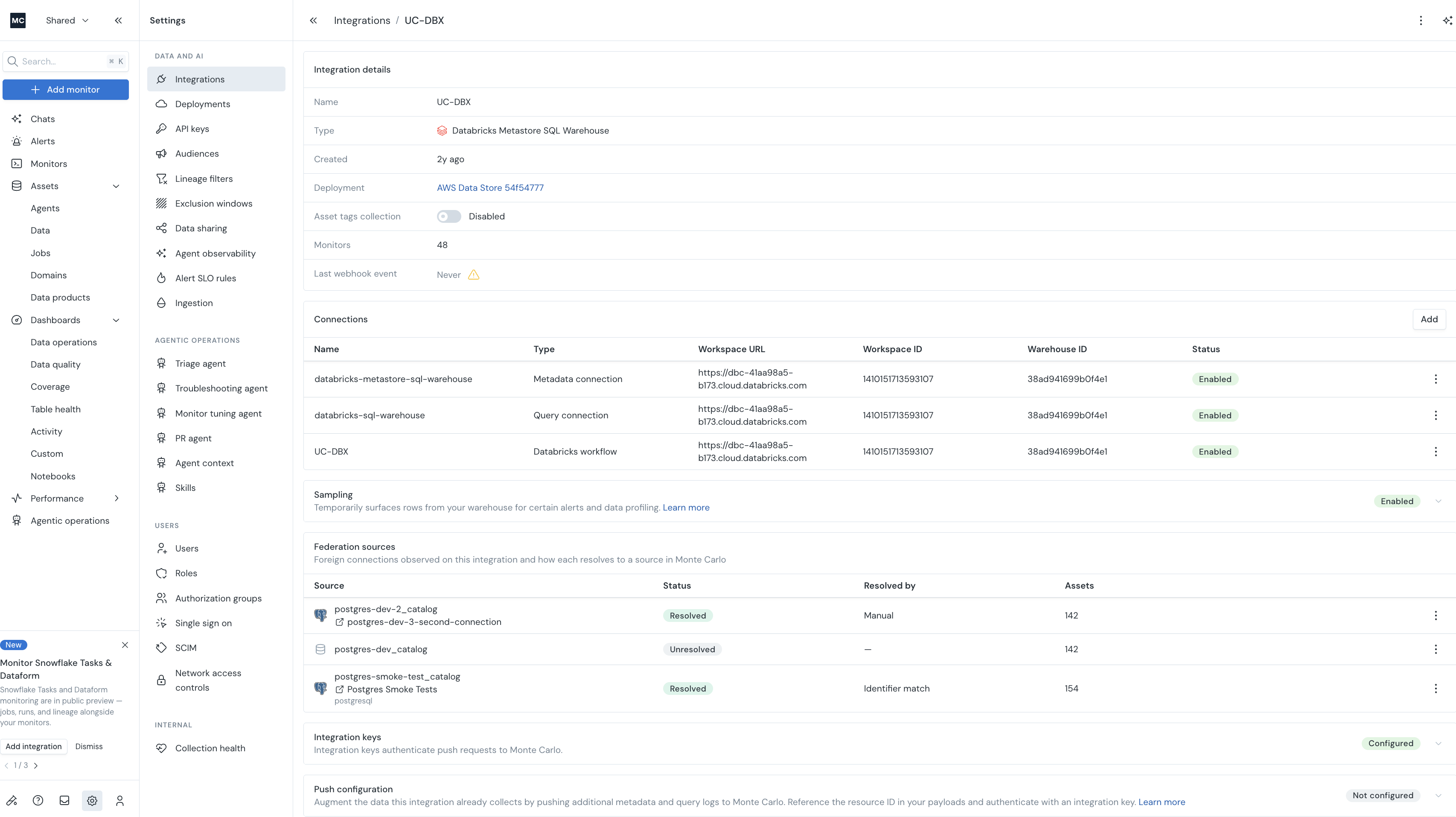
Each foreign connection resolves to a source in one of three ways, shown in the Resolved by column:
- Manual — you explicitly matched it to a source (see Manually matching below).
- Identifier match — matched automatically by the connection's identity (e.g. host and database, or provider ID and share name).
- Asset match — matched automatically because the tables it references resolve to exactly one source in Monte Carlo.
Each reference has a status:
- Resolved — linked to a source in Monte Carlo.
- Unresolved — Monte Carlo couldn't automatically determine the source.
- Ambiguous — the reference matched more than one possible source.
Unresolved and ambiguous references stay listed so you can match them manually.
Where you'll see it
On the source or referencing integration (Settings → Integrations → your integration):
- Federation sources — the foreign connections observed on this integration and how each resolves to a source in Monte Carlo.
- Referenced by — the reverse view: the connections that reference this integration as their source.
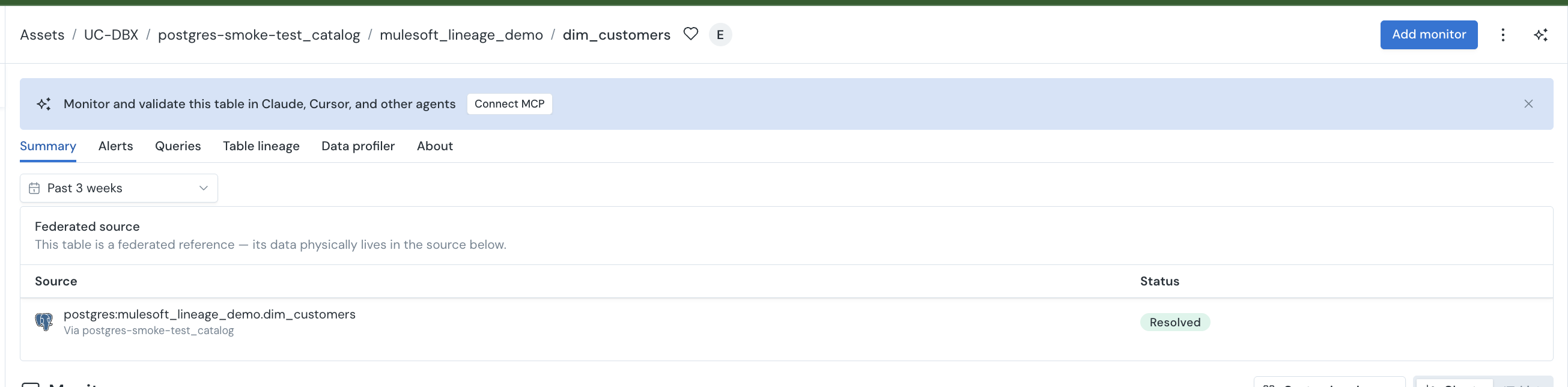
On an asset (Summary tab), for warehouse integrations that link assets:
- Federated source — the native source this asset is federated from.
- Referenced by — the assets elsewhere that reference this asset as their source.
Manually matching a reference
If a reference is Unresolved or Ambiguous, or you want to override an automatic match, you can set the source yourself:
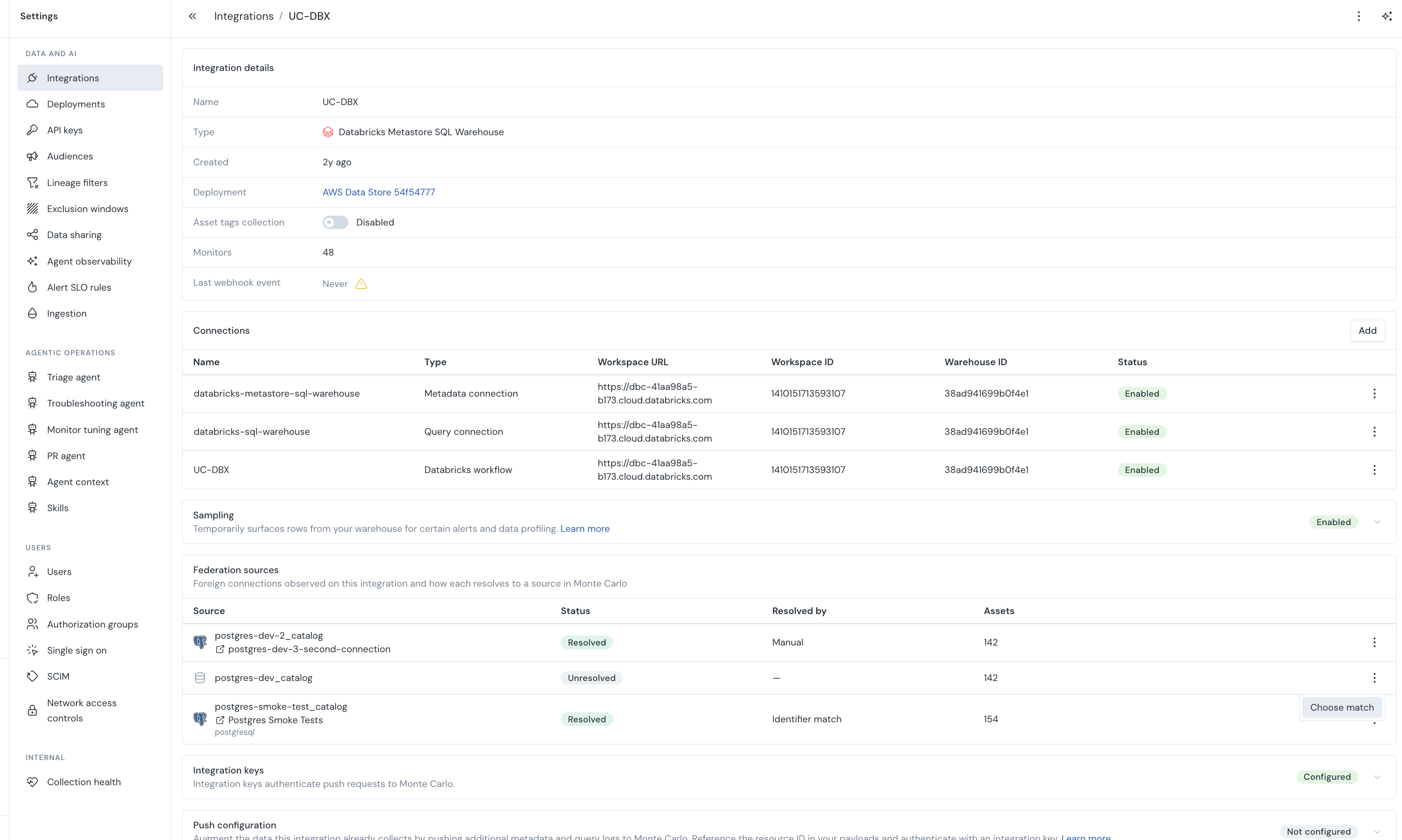
- Go to Settings → Integrations → your integration → Federation sources.
- On the reference's row, open the actions menu and choose Choose match (or Override match for an already-resolved reference).
- Select the source connection in Monte Carlo.
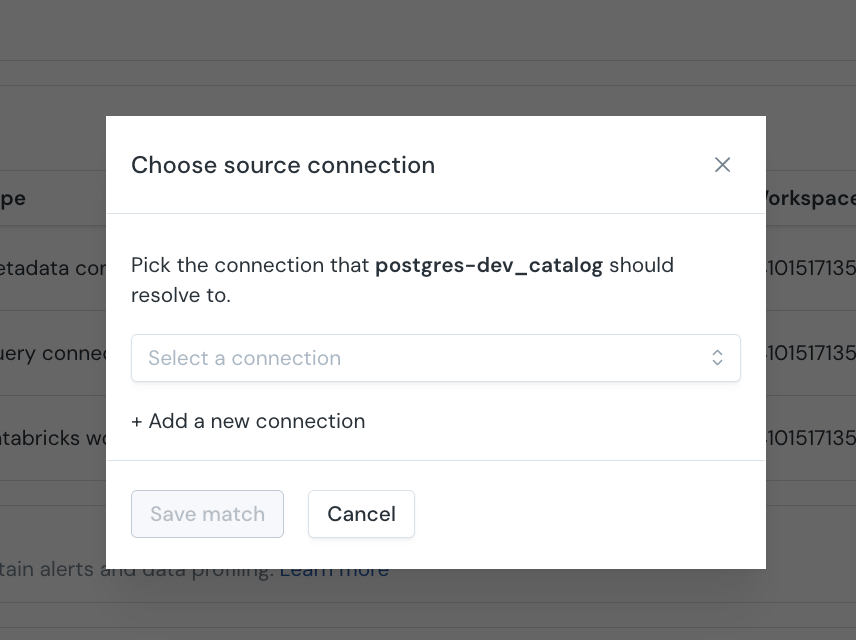
The match is sticky — Monte Carlo keeps your chosen source on subsequent collections. On the next collection run, the connection's assets are scoped to the source you chose. To clear a manual match, choose Remove mapping.
The source has to be connected to Monte Carlo first. You can only match a reference to a connection that already exists in Monte Carlo. If the source isn't connected yet, add it from Settings → Integrations → Add connection.
Creating the connection does not complete the match. After the new connection finishes setting up, come back to Federation sources, find the reference, and match it to the connection you just created. The match is a separate, manual step.
When do links appear? Federated references are detected and resolved during metadata collection, so new links (and the effect of a manual match) show up on the next collection run, not immediately.
Troubleshooting
- A reference shows Unresolved: the source may not be connected to Monte Carlo, or its identity couldn't be matched. Connect the source, or set the match manually.
- A reference shows Ambiguous: more than one source matched. Set the match manually to disambiguate.
- No federated references appear at all: confirm the source is reachable from the referencing system and that the collection credential can read its metadata. References are also only detected on the next collection run after the reference is created.
Updated about 1 month ago