
Informatica (private preview)
Overview
This guide explains how to setup Monte Carlo's integration with Informatica Intelligent Cloud Services (IICS).
The integration will discover all of your IICS Data Integration mapping tasks, and add them to the Monte Carlo asset catalog as jobs.
At this time, this integration is focused on mapping tasks, not the task flows they may be a part of.
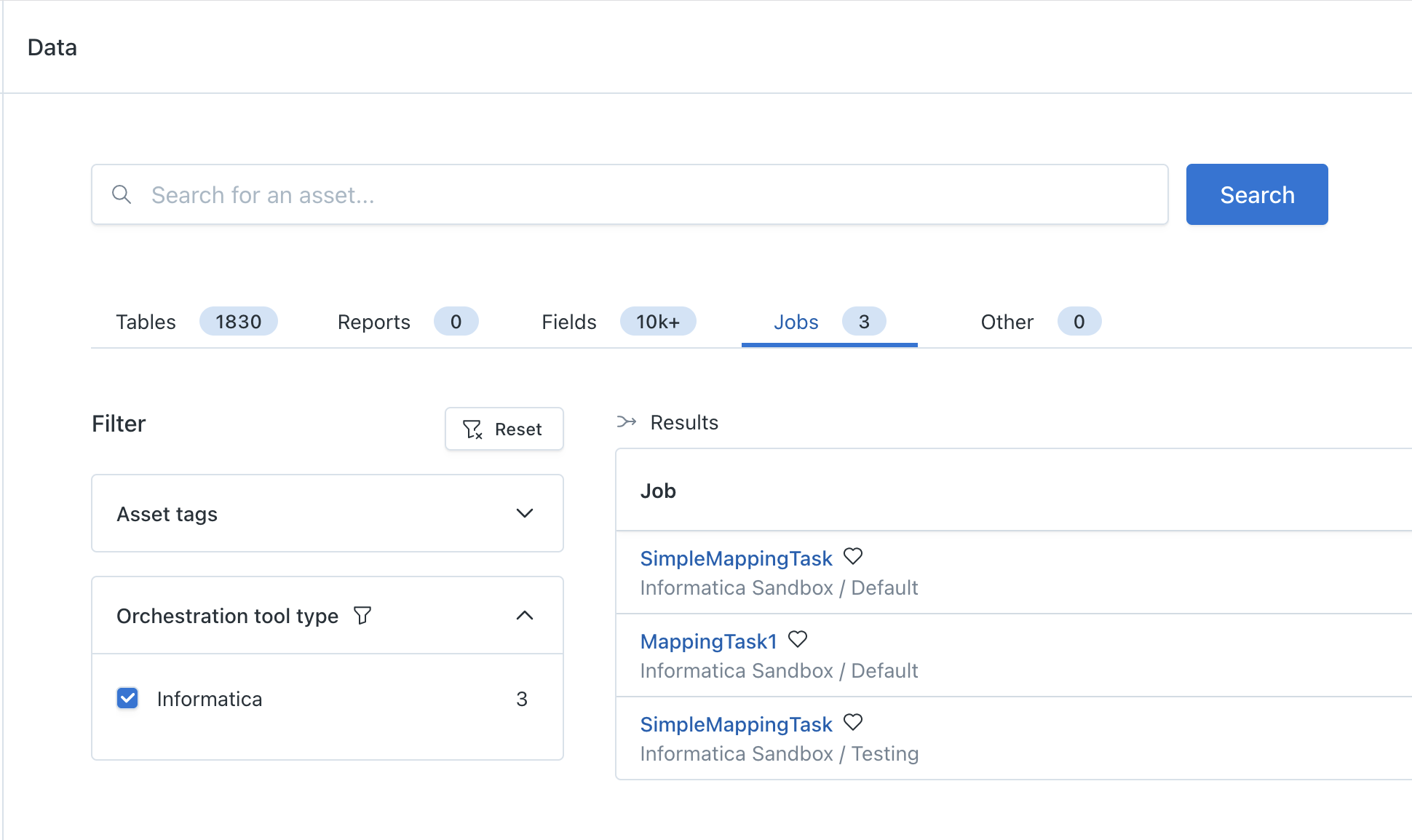
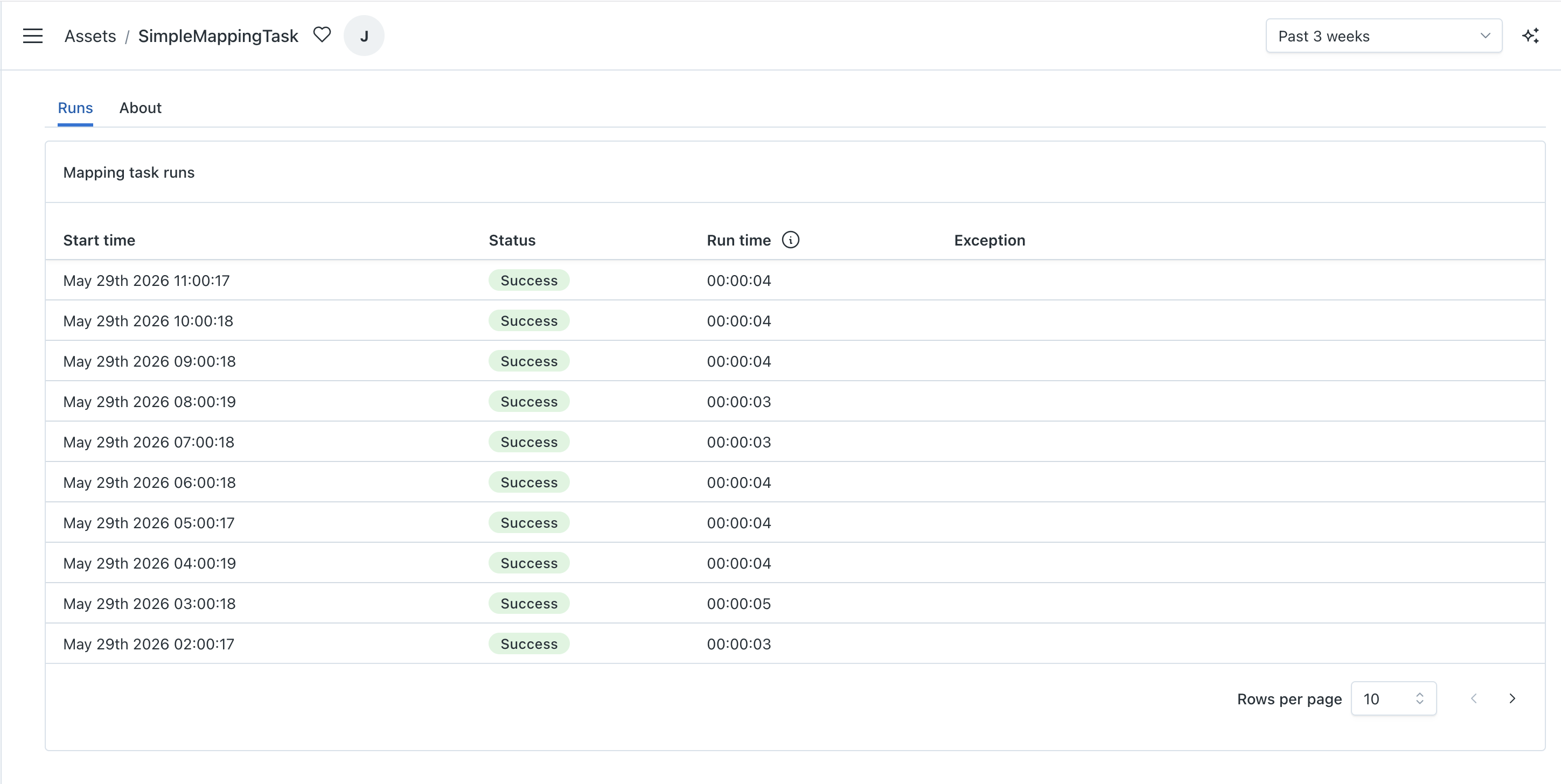
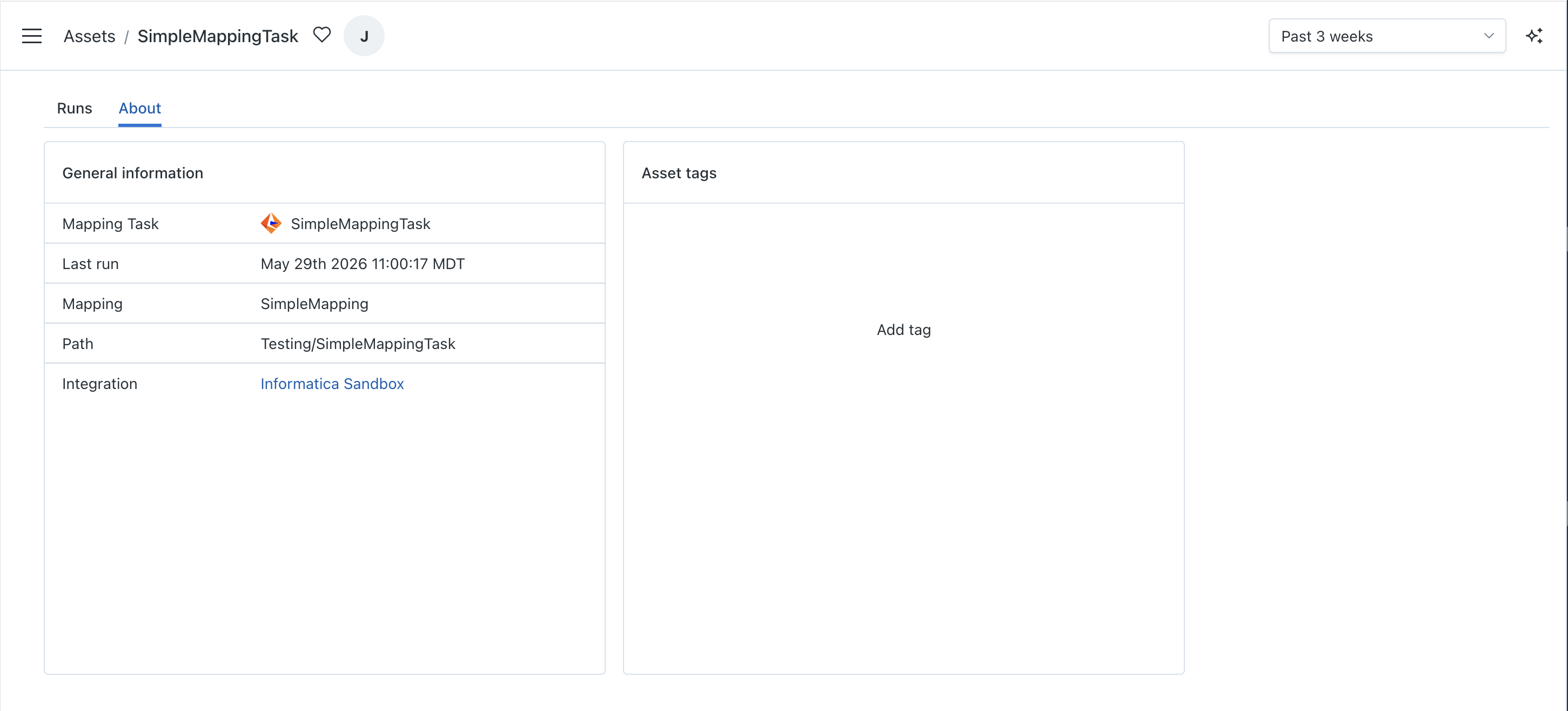
You will see run history and some general information for each mapping task.
Feature Support
| Feature | Support |
|---|---|
| Metadata collection | ✅ |
| Job Monitoring | ❌ |
| Job Lineage | ❌ |
| Table Lineage | ❌ |
| Field Lineage | ❌ |
IICS Prerequisites
Monte Carlo requires read permissions to the projects and folders that contain your mapping tasks. We recommend creating a dedicated service account for Monte Carlo with read access to all Data Integration projects and folders.
Installation
This section guides you through setting up an Informatica IICS integration with Monte Carlo.
PrerequisitesBefore proceeding, ensure you have:
- A Monte Carlo account with permissions to add integrations
- An IICS service user with read permissions on all Data Integration projects and folders
Installation of the integration is relatively simple. You just need to provide Monte Carlo with a means to authenticate to IICS REST APIs. We currently support two modes of authentication:
- OAuth via external identity provider
- IICS username and password
OAuth
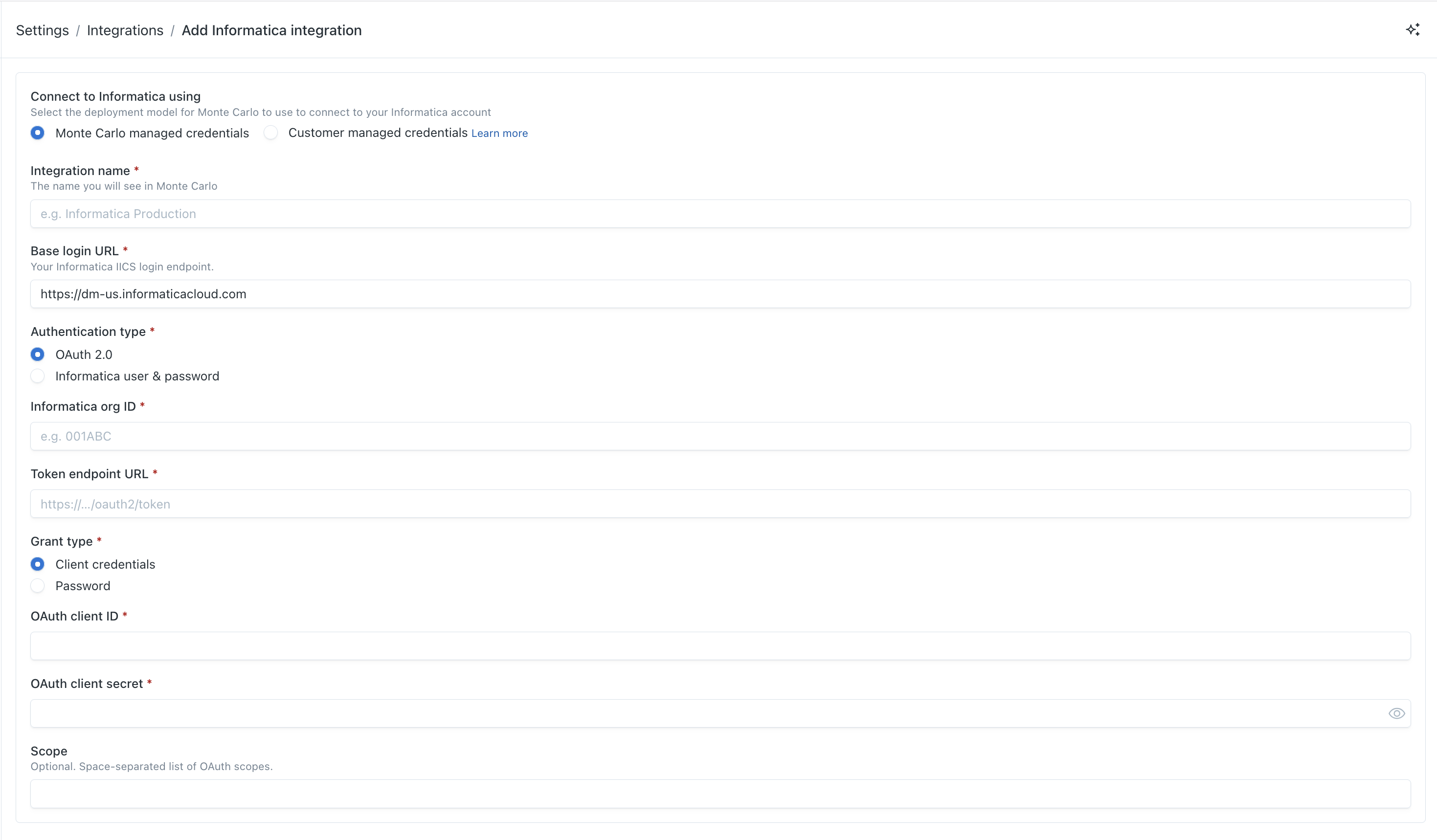
| Field | Description |
|---|---|
| Integration Name | Name of your Monte Carlo integration |
| Base login URL | URL used to authenticate to IICS REST APIs |
| Authentication type | OAuth 2.0 |
| Informatica org ID | Your IICS organization id |
| Token endpoint URL | URL used to obtain an OAuth token from your identity provider |
| Grant type | We currently support either Client credentials or Password grants |
| OAuth client ID | Client id of the application registered in your identity provider |
| OAuth client secret | Client secret of the application registered in your identity provider |
| IDP username | Username of identity provider user, if the password grant is selected |
| IDP password | Password of identity provider user, if the password grant is selected |
IICS Username and Password
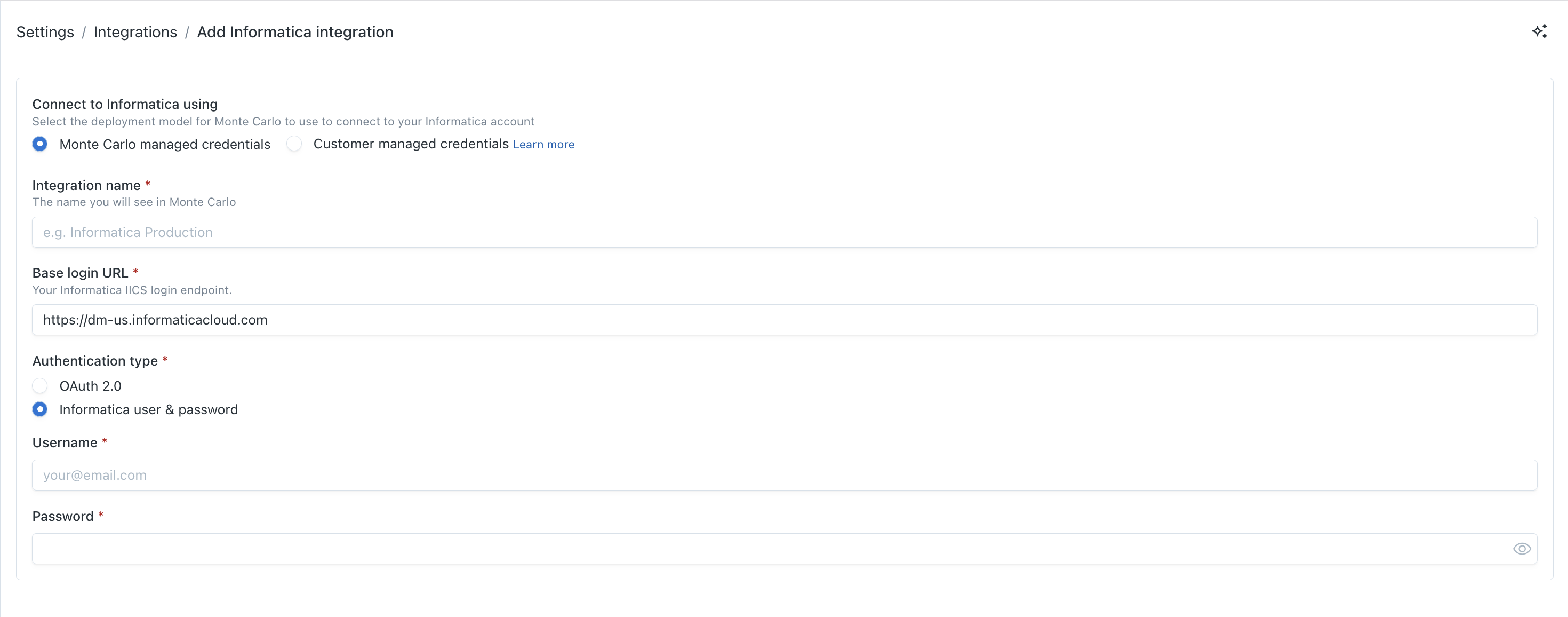
| Field | Description |
|---|---|
| Integration Name | Name of your Monte Carlo integration |
| Base login URL | URL used to authenticate to IICS REST APIs |
| Authentication type | Informatica user & password |
| Username | Username of IICS user |
| Password | Password of IICS user |
Updated 5 months ago